How to Stop Your Wrists From Hurting When You Type
Want to stop your hands from hurting? Keep your wrists straight like a ruler. Take lots of small breaks. Type softly, like you are touching a butterfly.
Think of your wrist like a straw. If you bend the straw, nothing can go through. When you bend your wrist, you pinch a little nerve inside. After a while, that pinch starts to hurt. The best thing you can do is keep that straw straight so nothing gets pinched.
Why Your Hands Hurt After Typing All Day

Do your hands feel fuzzy or weak after typing for a long time? You are not alone. It starts small, but that feeling is your body telling you something is wrong. The problem is a small tunnel in your wrist called the carpal tunnel.
A nerve, like a tiny garden hose, goes through this tunnel. When a hose is straight, water flows easily. But if you bend the hose, the water stops. That is what happens in your wrist when you type with your hands bent in a funny way.
How You Pinch the Nerve
Some typing habits secretly pinch that nerve. Resting your wrists on the hard edge of a desk is one. Using the little legs to stand your keyboard up is another bad habit. It makes you bend your wrists up. This constant pressure makes the parts inside your wrist swell up and squeeze the nerve.
Years ago, smart people found that bending your wrist backward or forward squeezes the inside of your wrist tunnel. This squeeze is what starts the ouch.
This is why keeping your wrist straight is the top rule. When your hand and arm make a straight line, you keep the "hose" from bending. This stops the pinch before it can start.
It Is More Than Just Your Wrists
The problem is not just in your hands. When you sit hunched over for a long time, it hurts your whole body. It can make your wrist problems even worse. When you slump, you can bother the nerves that go from your neck all the way to your fingers.
It is easy to forget they are all connected. You can find some good simple tips to fight muscle stiffness after sitting that help your whole body feel better. Remember, wrist pain is just one kind of hurt from doing the same thing over and over. For more help, you can read about how to prevent repetitive strain injury.
Making Your Desk a Wrist-Friendly Place

Your desk is your secret weapon against wrist pain. The good news is you do not need a lot of fancy new stuff. Small changes can make a big difference for your hands.
The goal is to make a "happy wrist zone." This is a place where your hands and arms can be relaxed. A few small fixes can turn your desk from a pain place into a comfy spot, using things you already have.
Your Chair and Arm Spot
It all starts with your chair. You want to get your arms in a comfy spot so they don't get tired. Sit down and change your chair's height so your feet are flat on the floor.
Now, look at your arms. They should make a relaxed 'L' shape. Your elbows should be bent like the corner of a square. Your hands should float just over the keyboard. You should not have to lift your shoulders or reach up. If your chair is too low, you will bend your wrists up to type. This bends the "hose" and causes pain.
Your Keyboard and Mouse Spot
Do you see the little legs on the back of your keyboard? It feels good to pop them open, but you should keep them down. A flat keyboard is best for keeping your wrist straight like a ruler.
Your keyboard should be right in front of you. It should be close enough that your elbows stay near your body. Keep your mouse right next to it. If you have to reach far for your mouse, you twist your arm. That twist sends stress all the way down to your wrist.
A common mistake is using squishy wrist rests. They seem helpful, but pushing your wrists on them can actually add pressure inside your wrist tunnel. It is better to let your hands float above the keys when you type.
The Screen Trick
Is your computer screen at the right height? If you have to look down at your screen, you will hunch your back. That bad habit hurts you all the way down to your hands. The top of your screen should be at the same level as your eyes, or a little bit lower.
You do not need to buy a special stand to fix this.
- Get a few big, old books.
- Put them under your screen.
- Add more books until the screen is at the right height.
This trick is free but can help your body feel so much better. For more help, these tips to prevent body aches while working from home are great for your whole body.
Use this quick list to check if your desk is helping or hurting your wrists.
Your Wrist-Friendly Desk Checklist
| What to Check | The Right Way | Why It Helps Your Wrists |
|---|---|---|
| Chair Height | Feet flat on the floor, legs like a tabletop. | Stops bad posture that hurts your back and arms. |
| Arm Angle | Elbows bent like a relaxed square corner. | Keeps wrists from bending up or down, making a straight line. |
| Keyboard | Flat on the desk, with its little legs folded down. | Stops the upward bend in your wrist that hurts the nerve. |
| Mouse | Close to the keyboard, easy to grab. | Stops you from reaching too far and twisting your arm. |
| Screen Height | Top of the screen is at eye level or a little lower. | Helps you sit up straight, which makes your shoulders and neck feel better. |
Taking a few minutes to check this list can make your day feel much better. These small changes help a lot.
The Big Secret About Typing and Wrist Pain
Many people think that if you type all day, your wrists will hurt. But that is not the whole story. What scientists have found might surprise you. It is more about how you type, not just how much you type.
The real bad guys are often things like how hard you hit the keys. Or, you might have other health problems that make your wrists weaker. This is why one person can type all day and feel fine, but your wrists hurt after just an hour.
It's Not Just About the Time
We used to blame long hours of typing for wrist pain. But one big study showed something amazing. People who typed a lot—more than four hours a day—actually had fewer wrist problems than people who hardly ever typed.
This does not mean typing is totally safe. It just means that other things are often a bigger part of the problem. Things like always holding a tool, keeping your hands in weird positions, or being sick can be a much bigger deal.
The big idea is this: just trying to type less is not the answer. To stop wrist pain, you need to type in a better way and take care of your whole body.
The Real Bad Guys: Pushing Too Hard and Your Health
Think of your hands like car tires. Driving 500 miles on a smooth road is much better than driving 50 miles on a bumpy road full of holes. It is the same with typing. Typing gently for hours is much nicer to your wrists than pounding on the keys for a short time.
Two things often cause more trouble than how long you type:
- How Hard You Type: Most of us hit the keys way harder than we need to. Every hard key press sends a little shock up your fingers and into your wrist. Doing that thousands of times really adds up.
- Your Whole Body Health: Sicknesses like diabetes or thyroid problems can make your whole body swell up. This can make the small carpal tunnel in your wrist even smaller.
The goal is to type with a lighter touch. Pretend your fingers are dancing on the keyboard. This will lower the stress on your hands and the nerve. A nice surprise is that typing better often makes you type faster. Our guide on how to increase typing speed shows that a light, easy touch is usually a faster one. Good habits can protect your wrists for a long, long time.
Quick Stretches and Breaks to Save Your Wrists
Taking breaks does not mean you stop working. It just means you give your hands tiny vacations during the day. When you stay in one spot for hours, your body gets stiff and sore. These little breaks are the cure.
The idea is to move in a soft, gentle way all day. You will be surprised how much better your wrists feel at the end of the day with just a few small breaks. This is a very important way to stop carpal tunnel from typing.
The Power of the Tiny Break
A "tiny break" is just what it sounds like: a very short stop. I do not mean a ten-minute walk. All you need is 20 to 30 seconds of rest to let your hands feel better.
Think about the little moments you already have. Are you waiting for a website to open? Or for a big file to download? That is your chance. Use that time for a quick stretch. These moments add up. They keep your wrists from getting stiff and stop the hurt before it gets bad.
It is also important to know it's not just about how much you type. How hard you press the keys and your health are also very important for wrist pain, as this picture shows.
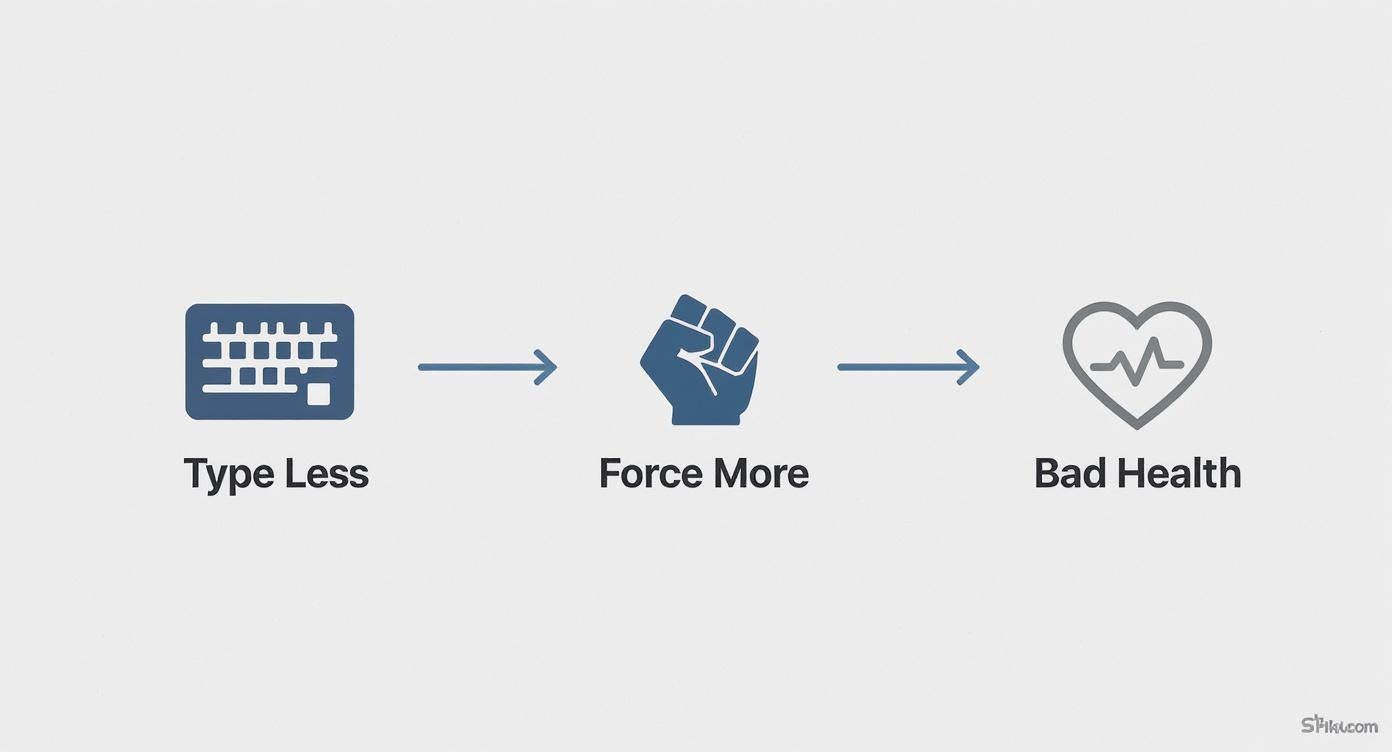
As you can see, typing too hard, along with other health problems, is often the real reason for wrist pain—not just typing itself.
Simple Stretches You Can Do Right Now
You do not need a long, hard workout. The best stretches are easy ones you can remember to do every day.
Here are a few of my favorite moves you can do at your desk in less than a minute:
- Wrist Bend and Stretch: Hold one arm out straight, with your hand facing down. With your other hand, gently bend your wrist down. Hold it for 15 seconds. Now, turn your hand over and bend the wrist up for another 15 seconds. You should feel a nice, easy pull.
- Gentle Fist and Fan: Make a soft fist, but do not squeeze it hard. Hold it for a second, then open your hand and spread your fingers out wide, like a fan. Do this five times. It helps get your blood moving and makes your fingers feel less stiff.
- The Wrist Circle: Hold your arm out with your hand facing down. Slowly and gently roll your wrist in a circle. Go around five times one way, then switch and go five times the other way. This is great for your wrist joint.
A very important tip: these stretches should never hurt. If you feel a sharp pain, stop right away. The goal is to gently let go of tightness, not to work out your hands hard.
Making a Habit That Stays
So, how do you remember to do this? The easiest way is to use a timer. The 20-20-20 rule is great for your eyes, and we can use it for our hands, too.
- Every 20 minutes of typing…
- Take a 20-second break…
- To look away from your screen and give your hands a quick stretch.
Set a quiet alarm on your phone or computer. I know it might feel like it is stopping you at first. But if you keep doing it, it will become a normal habit. This simple plan is one of the best ways to stop the pain before it can cause real problems.
Smart Typing Habits and Helpful Tools
Your comfy chair and perfect screen are only half the job. How you really use your computer—the way you type and click—is just as important for keeping your wrists happy. Let's look at a few ways to work smarter, not harder, to stop the pain that causes carpal tunnel.
It all starts with something very simple: a light touch. Most of us hit our keyboards much harder than we need to. Think of it less like banging on a drum and more like your fingers are dancing on the keys. Just thinking this way can make a huge difference in how much stress your wrists feel.
Change How You Type
It takes a little work to stop typing so hard, but it is worth it. Try this right now: for the next few minutes, try to press each key with the softest touch you can. You will probably be surprised at how little you need to push.
This is not just about feeling better. Every key you press sends a tiny shock through your hand and arm. If you type 8,000 or 10,000 words a day, you can see how all those little shocks add up to big pain.
Your goal is to make typing feel easy. If you feel your hands, wrists, or arms getting tight, that's your body telling you to stop. Take a break, relax your shoulders, shake your hands out, and start again with that lighter touch.
Let Your Voice Do the Work
What if you could give your hands a full rest but still get work done? Talking to your computer is a great tool. Instead of typing, you just speak, and your computer writes down the words.
Most computers and phones have good voice tools already built in. They are great at understanding you and are perfect for writing long emails or first drafts of papers. For people who want more, there are special apps for voice typing that can do even more.
Thinking About Special Tools
You have probably seen keyboards that are split in the middle or mice that stand up tall. These are ergonomic tools. They are made to put your hands and arms in a more natural, comfy position. If you use a computer all day, they can be a good thing to buy.
A special keyboard often has a curve or a split. This lets your hands rest in a normal way and stops your wrists from twisting. A tall mouse keeps your hand in a "handshake" spot. This is much less stressful for your arm than a normal flat mouse.
But are they right for you? It can be hard to decide, so here’s a quick guide to help.
Is a Special Keyboard or Mouse Right for You?
This simple chart can help you see if special tools are what you need to stop wrist pain.
| Tool | How It's Different | Who It Helps Most |
|---|---|---|
| Ergonomic Keyboard | Often split or curved to fit the way your hands and wrists naturally rest. | People who feel pain in their wrists and hands from keeping them flat on a normal keyboard. |
| Vertical Mouse | Shaped so you hold it in a "handshake" way, which stops your arm from twisting. | People who have pain on the outside of their wrist or up their arm from using a normal mouse. |
These tools are not magic, but they can be a huge help for many people. Someone once told me that switching to one of these keyboards made her wrist pain "go away instantly." By using a tool that fits your body, you can get help that a normal desk setup can't give you.
Got Questions About Typing and Wrist Pain? Let's Get Them Answered.
There are a lot of ideas out there about how to keep your wrists healthy. Let's answer some of the most common questions so you can make smart choices for your workday.
Should I Wear a Wrist Brace While I Type?
This is the top question people ask, and the answer is usually no. It seems like a good idea, but a brace holds your wrist still. This stops your muscles from doing their job. Over time, this can make them weaker.
Think of a brace as a tool for resting, not for working. They often work best when you wear them at night. Why? Because many of us curl our hands in funny ways when we sleep. This puts a lot of pressure on the nerve in the wrist. A brace at night keeps your wrist straight.
If you have pain, the best first thing to do is talk to your doctor. They can tell you if a brace is a good idea for you and when you should wear it.
Will a Standing Desk Fix My Wrist Pain?
Standing desks are great for your body and help you feel more awake. But they are not a magic fix for wrist pain. The most important thing for your wrists is not if you are sitting or standing. It is how your arms and hands line up with your keyboard.
The rules for a happy wrist are the same.
- Your keyboard needs to be at a height where your elbows have a soft bend, like a square corner.
- Your wrists must stay straight, not bent up or down to reach the keys.
A standing desk can help you get this perfect line-up, but you still have to set it to the right height.
A standing desk changes how your body is from the waist down. But the rules for your upper body do not change. Keeping your arms and wrists in a straight line is what really protects them, no matter if you sit or stand.
How Can I Tell if I Have Carpal Tunnel?
That fuzzy or numb feeling, especially in your thumb, pointer, and middle fingers, is a big sign. People with carpal tunnel often say their hand feels weak. Maybe they drop their coffee cup or have trouble with their keys.
But here is the important part: other problems can feel the same. Trying to figure it out yourself is not a good idea.
The only way to know for sure is to see a doctor. They can do simple, easy tests to see if it is carpal tunnel and make a plan to help you. Finding it early is one of the best things you can do to stop bigger problems later on.
Ready to give your hands a break without slowing down? With WriteVoice, you can turn your spoken words into perfectly formatted text up to four times faster than typing. Dictate directly into any app and reclaim your time. Start your free trial today!