How to Get Better at Taking Notes
Do you want to be great at taking notes? The trick is to get your ideas down fast, before you forget them. Don't worry about being neat. Just get your thoughts on paper. Or even better, just say them out loud! This one change will help you remember more and turn your messy notes into a great plan.
Why Your Old Way of Taking Notes Doesn't Work

Does this look like you? You leave a meeting or a class. You look at your notes. They are a big mess. You know there are good ideas in there, but you can't find them. It makes you feel bad, like you lost something important.
It’s not your fault. The way we learn to take notes is hard. We try to write everything down as fast as we can. But our brains think much faster than our hands can write.
Why Messy Notes Are a Problem
When you try to write too fast, your notes are hard to read. You miss what the other person is saying because you are busy writing. It's hard to keep up. It helps to learn how to improve focus while studying and listen better.
This makes it hard to remember things. When we write notes by hand, we often forget most of it the next day. That's why lots of people are using new tools to help take notes.
The goal of taking notes is not just to write things down. It is to help you think better, remember more, and do things with your good ideas.
A Better Way to Get Your Ideas
What if taking notes was like having a superpower? What if you could remember every word and every idea? A new way of taking notes can help you do that.
Think about messy notes and smart notes. They are very different.
Old Notes vs. Smart Notes
See how different old, messy notes are from new, smart notes.
| The Problem With Old Notes | How Smart Notes Help |
|---|---|
| Messy writing that is hard to read. | Saves every word perfectly as text. |
| You miss important things when you write. | You can just listen and not worry about writing. |
| It's hard to find your ideas later. | Everything is neat and easy to find. |
| You forget most of what you wrote. | Reading good notes helps you remember. |
This really works. A busy boss changed how she took notes in meetings. Her secret was simple: she used her voice. She would say her thoughts and what she needed to do. This helped her get every detail down without trying hard.
That one small change made her much better at her job.
Say Your Thoughts to Remember Everything
Let's be real—the hardest part of taking notes is trying to keep up. Your brain thinks of good ideas faster than your fingers can type. This is when you lose important details.
But what if you could save every single thought without slowing down? There is a much better way. It starts with one simple idea.
The big rule is: Get It Down Now, Make It Pretty Later. Stop trying to make your notes look perfect right away. The only thing that matters is getting your ideas saved before they go away.
Let Your Voice Do the Hard Work
Think about this: You just finished a big phone call. Your mind is full of what to do next and what you learned. Instead of trying to type it all—and missing half of it—you just start talking.
You can use an app that turns your voice into words. You can just say what you are thinking, and it types it for you. You could be walking your dog or sitting in your chair. It's an easy way to get better at taking notes because it feels normal.
Your voice is the fastest way to save your thoughts. You can speak about four times faster than you can type. That means you can save a lot more information with less work.
When you speak your notes, you don't have to worry about spelling. You can just get the ideas out. Think about finishing a meeting and already having all the important points written down for you. You can learn more about this in our guide to speech-to-text note-taking in our detailed guide.
A Fun Thing to Try
Want to try something new? This little game will show you how much more you can remember by speaking instead of typing.
Here is what you do:
- Find a short video: Pick a video that is about three minutes long.
- Watch it one time: Pay close attention. Don't take any notes.
- Type what you remember: As soon as the video ends, set a timer for one minute. Type everything you can remember.
- Say what you remember: Now, do it again. Watch the video, then set a one-minute timer. This time, use your phone to record your voice. Say everything you remember out loud.
Now, look at what you typed and what you said. You will be surprised! Most people find their spoken notes have way more details, like names and numbers. That's because speaking lets your brain work without being slowed down by a keyboard.
Turn Your Spoken Notes Into a Plan

Getting your thoughts down is a good start. But that's only half the job. The real magic is when you turn those words into something you can use. Your notes are like puzzle pieces. They don't help much until you put them together.
This part is about making your notes work for you. I will show you a simple, three-step plan to turn a voice note into a clear plan. It’s an easy way to improve note taking skills and get more done.
The steps are easy to remember: Look, Tidy, and Send.
Look For The Big Ideas
First, just read the words your voice made. Don't worry about fixing every little mistake yet. Your only job right now is to look for the main points—the big, important ideas. It's like looking for gold in a river. You are just looking for the shiny parts.
As you read, ask yourself these questions:
- What is the most important thing I learned?
- Are there any jobs I need to do?
- Did we decide to do something?
I know a manager named Sarah who used to waste time after every meeting trying to remember her to-do list. Now, she says her thoughts right after the call. Then she takes five minutes to read what she said and pulls out the jobs, like, "Alex needs to send the report by Friday." It helped her a lot.
Tidy Up Your Notes
After you find the big ideas, it's time to tidy them up. This just means making your notes clean and easy to read. You don't need a fancy system. A little bit of order helps a lot.
Here are some fast ways to make your notes neat:
- Give it a title: Name your note something like "Team Meeting – October 26."
- Use bullet points: Turn long sentences into a simple list of jobs or ideas.
- Make important words bold: This makes dates or names stand out so you can't miss them.
This simple step turns a messy pile of words into a helpful page. We talk more about this in our guide on how to organize meeting notes.
Send Your Jobs Where They Need to Go
The last and most important step is to send your jobs to the place where you do your work. A great note is useless if it just sits in an app. You have to put your jobs into your daily plan.
This could mean adding a task to your to-do list, sending an email to your team, or putting a reminder on your calendar.
This is very important for being good at your job. Studies show that 65% of people have trouble with messy notes, which wastes a lot of time each week. You can find more facts on the growth of the note-taking app market at marketreportanalytics.com.
By sending the important parts of your notes to the right places, you make sure nothing gets forgotten. This connects your ideas to real work. It turns taking notes from a boring chore into a powerful tool.
Build a Simple System to Remember for You
Let's be real: great notes are no good if you can't find them. We've all had a great idea that we lost in a messy notebook or a bunch of computer files. The real secret to good note-taking isn't just writing things down. It's making a simple system that remembers things for you.
Forget the old advice about making lots of folders you'll never use. There is a much easier way to keep your thoughts organized. It all starts with one simple habit: using tags. This one change is a powerful way to improve note taking skills for good.
Think in Tags, Not Folders
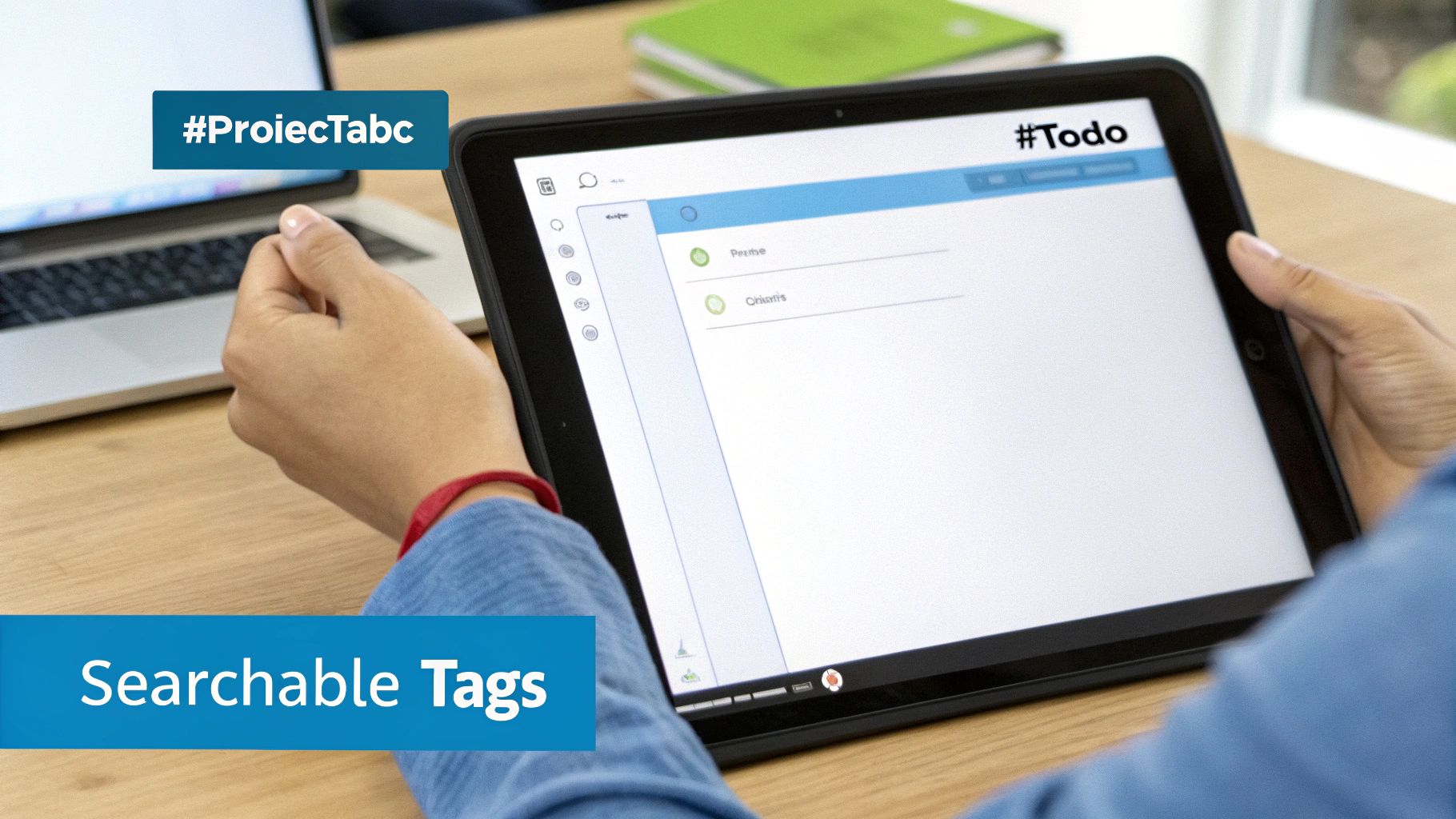
Picture this: you are talking your notes into an app after a big meeting. As you finish, you just say the tags out loud—"hashtag New Project" or "hashtag To Do." When your voice note is turned into words, those tags become special links that you can search for.
You are building your own library of ideas and jobs to do. It’s like having a "second brain" that never forgets anything. Now, you can find every note about a project or person just by searching for a tag.
A simple tagging system turns a mess of notes into a search engine for your own brain. It's a small habit that saves you from looking through old emails and files. It gives you back your time and energy.
You are no longer wasting time trying to remember where you wrote something down. Your system does the hard work. This lets you focus on doing your job. If you want to learn more about keeping your computer files neat, these document management best practices are a great place to start.
Five Tags to Start Using Today
The important thing is to just start. You don’t need a perfect system on the first day. In fact, starting with just a few good tags is the best way to build the habit without feeling like it's too much work.
Here are five great tags that I tell almost everyone to use. You can start using them right now:
- #ToDo – This one is a must-have. Use it for any note that has a job for you to do. It makes a big list of everything you need to get done.
- #Meeting – This is great for notes from a meeting. You can add a date to make it clearer, like
#Meeting-Oct26. - #Idea – We all have good ideas pop into our heads. Tagging them helps you remember them later.
- #Important – Use this for things you know you'll need to find fast. Think of passwords, big decisions, or due dates.
- #Project[Name] – Make a special tag for each big project, like
#ProjectSunor#ProjectBlue. This is a magic way to group all the notes for that project together.
By using these simple habits, taking notes stops being a chore. It becomes a good system for thinking clearly and working smarter. As you get used to it, you might even find ways of automating repetitive tasks to make it even easier.
Make Your New Note-Taking Skills Stick
Learning a new skill is one thing. Making it a habit you do every day without thinking is the real goal. This is where most people have trouble. But making new note-taking habits a part of your day is easier than you think.
The secret is to start small. Don't try to change everything at once. Just pick one tiny thing to change and do it. For example, instead of typing your to-do list tomorrow, try saying it out loud. Doing that one small thing will make it easier to take the next step.
Make a Five-Minute Review Habit
One of the best habits you can make is a quick review at the end of the day. Really, just take five minutes to look over the notes you took. You don't need to study them hard. Just give them a quick look.
This quick look does two important things:
- It tells your brain that what you saved is important and worth remembering.
- It reminds you of any jobs you need to do or great ideas you forgot about.
Think of it like cleaning up your desk before you go home. This tiny bit of time each day helps you remember what you learned and is a big part of great note-taking. It is a key step to improve note taking skills forever.
Teach Your Tools Your Words
Do you get mad when your voice app messes up a name or a special word? This happens a lot, but it's easy to fix. Good voice tools, like WriteVoice, let you add your own words.
Take a few minutes to add the special names or words you use every day. You are teaching the tool your own language. You are telling it, "When I say this word, this is what I mean." This makes your notes much more accurate, which saves you a lot of time fixing them later.
Doing this one time makes using your voice feel easy and normal. Smart tools are becoming a big part of how we work. New reports show that more people are using these tools every year. People who use them say they get more work done. You can learn more about the rise of AI note-taking tools on superagi.com.
Building a great note-taking system is not about one big change. It's about small, smart choices that add up over time. These choices help you build a strong place for your best ideas.
Your Top Questions About Voice Notes, Answered
Starting a new way of taking notes can bring up some questions. It's normal to wonder if you're doing it right or how it will fit into your day. Let's answer some of the top questions people have when they start speaking their notes.
Thinking about these things first will help you feel ready and sure of yourself. The whole point is to make this new habit feel as easy as talking to a friend.
How Long Does It Take to Get Used to This?
To be honest, talking instead of typing can feel a little weird at first. Most people feel comfortable after about a week of doing it every day. The trick is to not try to do too much on the first day.
Instead of trying to speak all the notes for a long meeting, start small. Try saying your to-do list into your phone. Or save a quick thought while you are walking.
These small wins will make you feel good and want to do more. After a few days, you'll find that you stop thinking about it and just start talking.
Here's a little trick I tell people: pretend you're leaving a voicemail for a friend. It helps the words come out more easily and makes you feel good about hearing your own voice make the note.
Can I Really Use This in Every Meeting?
That's a great question, and the answer is not always. Speaking your notes is perfect for many times, like team meetings or when you're thinking by yourself. It’s a very fast way to get your thoughts down when they are fresh in your mind.
But, it's not for every single time. If you are in a very serious meeting, talking into your phone might seem rude. In those moments, it's best to just listen carefully. Then, you can step out right after and speak a private note to yourself.
It's all about knowing what is right for the moment. Think of this as a new, powerful tool to help you, not something that replaces every other tool you have.
How Do You Keep Private Things Safe?
Keeping things safe is a very big deal, especially when you are talking about secret work stuff or your own thoughts. The good news is that trusted tools like WriteVoice are made to keep your words private.
They don't save your voice recordings or the words they make. As soon as your talking is turned into text, your voice recording is gone forever. This means your private thoughts and important meeting notes stay private.
Always make sure you use a tool that tells you how it keeps your information safe. Knowing this lets you speak freely, without worrying about who might see your notes later.
Ready to save your thoughts four times faster than typing? WriteVoice turns your spoken words into clean, organized text in any app you use. Start your free trial and discover a smarter way to work.