How to Write Faster and Still Do a Great Job
Do you want to write faster? The secret is not just typing fast. It is about how you do your writing. You can learn tricks like making a plan first. You can also learn to write now and fix mistakes later. These small changes can help you a lot.
Why Writing Fast is Like a Superpower
Think about what you could do with more time each day. For many of us, writing can feel slow. It takes up a lot of time, like when we write emails or school papers. Learning to write faster is a great skill. It gives you back your time.

When you write fast, it feels like a superpower. You can do good work without it taking all day. This leaves you time for other things. When you get really good, you can get into a special focused mode called "flow." You can learn how to achieve a state of flow for peak performance to make your writing time even better.
What Happens When You Write Slow
Let’s look at a real story. A manager at a job has to write a lot of emails and reports. Most grown-ups can type about 40 words in one minute. But what if this manager only types 20 words a minute? Just ten emails could take almost two hours.
Now, what if they get faster and type 40 words a minute? They can do the same work in half the time. That saves them almost one hour every day. That is more than 17 hours of free time each month!
But it’s not just about saving time. It’s about feeling less stressed. When you can get your thoughts on the page quickly, you feel more in control. This helps you make better choices and feel happier at your job. We talk more about this in our guide on how to increase productivity.
The goal is not just to be fast. The goal is to do the same good work in less time. Then you can work on bigger things or just go home and relax.
How Writing Speed Changes Your Day
Look at how much time you can get back by writing faster.
| Writing Speed | Time to Write 10 Emails | Time Saved Each Day | What You Can Do with Extra Time |
|---|---|---|---|
| 20 WPM (Slow) | 1 Hour 40 Minutes | (This is the start) | Stuck writing emails |
| 40 WPM (Average) | 50 Minutes | 50 Minutes | Plan for tomorrow |
| 60 WPM (Fast) | 33 Minutes | 1 Hour 7 Minutes | Take a real lunch break |
| 80 WPM (Pro) | 25 Minutes | 1 Hour 15 Minutes | Go home from work on time |
As you can see, even a small improvement gives you enough time to make your day better.
Who Can Be Helped by Writing Faster?
You do not have to be a famous writer to use these skills. These tricks are for everyone. They help students finish papers and grown-ups at work share ideas.
A few easy tricks can help a lot:
- Project Managers: Spend less time writing about what the team is doing and more time helping them.
- Engineers: Write about their computer code and make reports much faster.
- Marketers: Write stories for websites, posts for social media, and ads very quickly.
- Anyone Who Writes Emails: Get back hours every week by writing emails fast.
Make a Map Before You Start to Write
Have you ever tried to build a big LEGO castle without the paper instructions? You might make something that looks like a castle. But it would be messy and take a very long time. Writing without a plan is just like that.
If you just start writing, you might get stuck. You will just stare at the screen. If you take a few minutes to write down your ideas first, you give your brain a map to follow. It turns a big job into small, easy pieces. This makes it much easier to start and finish.
This map does not need to be fancy. It is just a quick guide for your thoughts. Spending five minutes on a plan can save you thirty minutes of wondering what to write next. You will write faster because you already did the hard part of putting your thoughts in order.
Quick Plans for Fast Writing
For most things we write, a simple plan is all you need. The goal is to get your main ideas in order so the words can come out easily.
A great way I do this for emails is the Three-Dot Plan. Before I write, I make three dots and write down the three most important things.
- What is the main point of this email?
- What is one thing the reader must know?
- What should the reader do after they read this?
With answers to these three questions, writing the email is like filling in the blanks. It takes about a minute but can make you write twice as fast.
For something bigger, like a report for work, I use Story Blocks. Think of each part of your paper as a block that tells part of the story.
- The Problem Block: What is this paper about?
- The Action Block: What did we do about it?
- The Result Block: What happened after we did that?
- The Next Steps Block: What will we do next?
This map not only helps you write faster, but it also makes your writing easy for others to read and understand.
A Real Example in a Tool Called Jira
Let's see how this works for a job task, like writing an update in a work tool called Jira. Without a plan, you might just start typing. Then you might delete it, write it again, and try to remember all the small things. This is slow and hard.
Instead, take two minutes to make a map first.
Jira Update Plan
- Goal: Remind everyone why this job is important.
- What's Done: Say the two main things we finished this week.
- What's Next: Say the number one thing we will do next week.
- Problems: Tell them about the login problem that is making us slow.
- Action: Ask the computer team for help with the login.
With this little map, writing the real update is easy. You already know what to say and in what order. This type of clear map is also a key part of the best practices for documentation.
The best way to write faster is to think first, then write. Do not do both at the same time. This simple change lets you focus on one thing at a time.
Why Making a Plan Works so Well
When you try to plan and write at the same time, you make your brain do two different things at once. One part of your brain is trying to be creative and think of ideas. The other part is trying to be neat and use good words and grammar. Switching back and forth like this is tiring and very slow.
By making a map first, you let your brain be creative at the start. Once your ideas are on the paper, you can switch to "writing mode" and just focus on making good sentences. The whole job becomes smoother, faster, and less stressful.
Use Your Voice to Write Four Times Faster
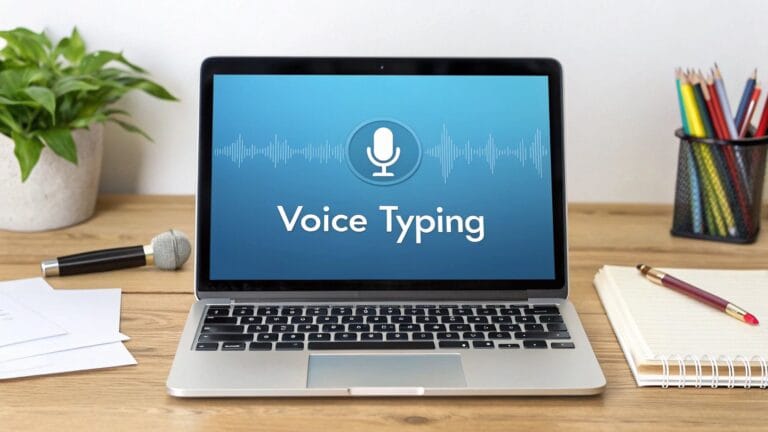
What if you could write as fast as you can talk? This simple idea can change how you work. Most of us can talk much faster than we can type. Using your voice to write can make you super fast.
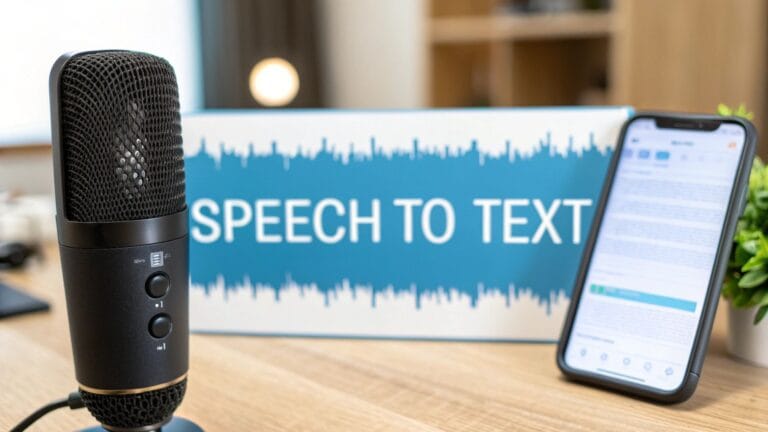
Think about it. We talk all day. We share ideas and tell stories easily. Using your voice to write is like having a helper who writes down everything you say right away. This is called voice-to-text.
How Talking Helps You Write Fast
Voice writing tools listen to you and turn your words into text on the screen. A good tool, like WriteVoice, just lets you talk. Your thoughts go right onto the page without you needing to type.
This is a big help if you feel slow when you type. Instead of looking for keys on the keyboard, you just talk. The words show up as you say them. This helps you stay in a creative flow.
A good plan is the first step to being fast. Using your voice is the perfect next step after you plan.
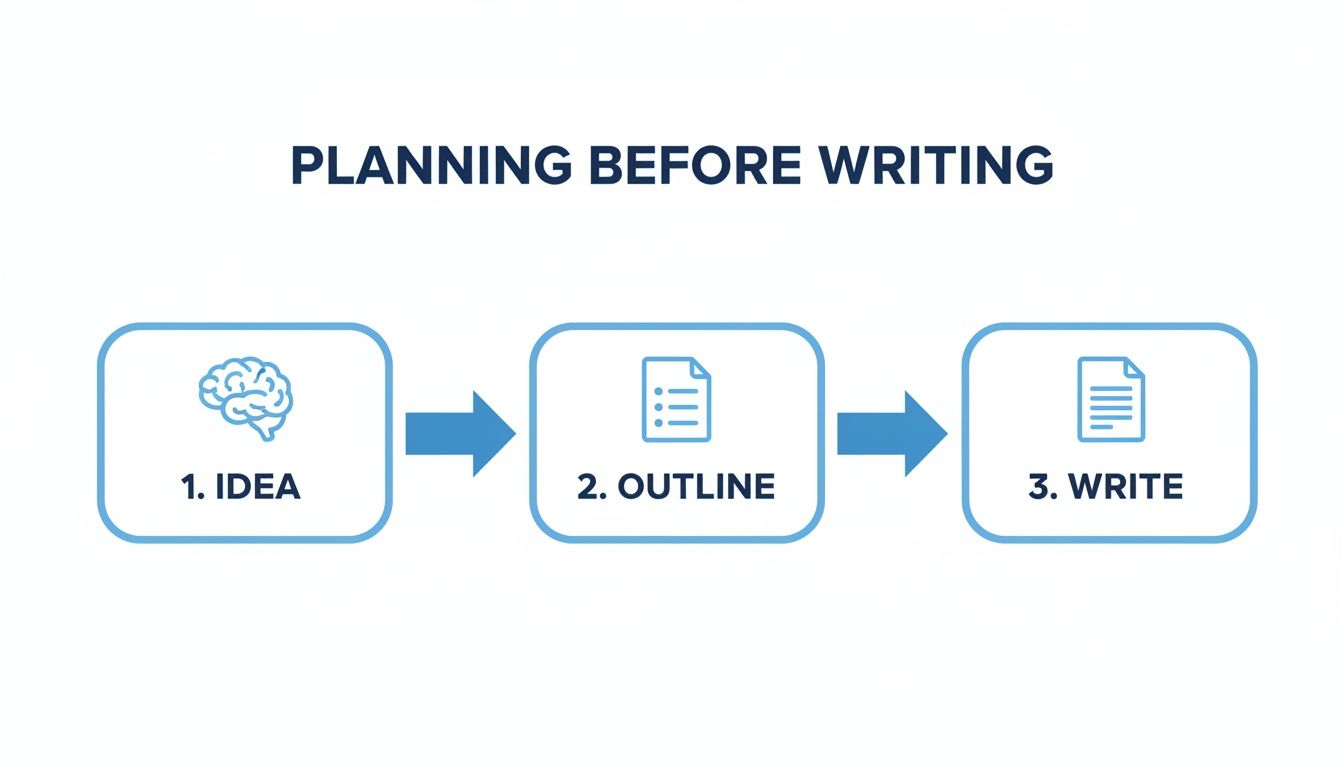
Once you have a good idea and a simple map, using your voice for the "write" part is very fast.
The One-Minute Game
Are you not sure this will work? Let's try a quick game that will show you.
- Talk for One Minute: Get your phone or a voice tool. For one minute, just talk about your day. Talk about what you ate for breakfast or a funny thing that happened. Let the tool write down every word.
- Type for One Minute: Now, open a new page. Set a timer for one minute. Try to type about the same things you just talked about.
Now look at the two pages. You will see a big difference. The page you made by talking will have many more words than the one you typed. This shows how powerful using your voice can be.
Voice-to-text tools can help you write 3 to 4 times faster than even a fast typist. It is a huge help for getting your first draft of your writing done in a flash.
Is It Safe to Use Your Voice for Work?
This is a very important question. When you talk about work projects or secret ideas, you need to know your words are safe. Good news! The best tools are made to be safe.
Many free tools might listen to what you say to make their tool better. This is not good for private work things.
But tools made for work are different. They are built to be private.
- They don't save your voice: Safe tools turn your voice into words on your own computer. Your voice is never sent to a company or saved anywhere.
- They work where you work: A good tool lets you talk right into the apps you already use, like Gmail or Slack. You do not have to copy and paste.
- They are very good at listening: The best tools can understand up to 99% of your words right. This means you spend your time writing, not fixing mistakes.
How to Start Writing with Your Voice
Using your voice is one of the quickest ways to write more. It helps you get that first draft done fast. This leaves you more time and energy to fix it and make it better.
Want to find the right tool? Our guide to the best dictation software for writers can help you choose one that is both fast and safe.
By turning your talk into text, you give your fingers a break. You let your ideas flow like you are just having a chat. It is an easy change that can save you hours every week.
Write Now, Fix It Later
Have you ever tried to write and fix mistakes at the same time? It's very hard. It’s like trying to drive a car with one foot on the gas pedal and one foot on the brake. You don't go very far, and the ride is not smooth.
This stop-and-start way of writing makes your brain switch between two very different jobs. The creative part of your brain is trying to make ideas. The thinking part is busy fixing spelling and changing words. It is a slow and painful way to write.
Wear Two Different Hats
The best writers I know wear two different "hats." But they never wear them at the same time.
First, they put on their Writer’s Hat. The only job is to get words on the page. The ideas should just flow out. Don't worry if it's perfect. Don't worry about spelling. Just write. Some people call this a "messy first try."
After the first try is done, they take off the Writer’s Hat. They put on their Editor’s Hat. Now, the job is to make the writing better. This is when you fix spelling, make sentences sound better, and take out parts that you don't need.
This simple trick is one of the best ways to write faster. It tells the little voice in your head to be quiet while you write. This lets your ideas come out fast without stopping.
Try This: The 15-Minute Writing Race
A great way to teach your brain to stay in writer mode is to have a writing race. It’s a short time of writing where the only rule is you cannot stop or go back to fix things.
Here is a fun game you can try right now:
- Set a Timer: Get your phone and set a timer for 15 minutes.
- Pick a Topic: Know what you want to write about. It could be part of a school paper, an email, or a story.
- Write and Don't Stop: Start the timer and go. The most important rule is do not hit the backspace key. If you make a mistake, leave it. If a sentence sounds funny, finish it and start the next one. Just keep your fingers moving.
- See What You Did: When the timer rings, stop. Look at how many words you wrote. You will probably be very surprised how much you wrote when you did not stop to fix things.
This game helps you learn to do the two jobs at different times. It shows you that a messy first try is not just okay, it is a very important step to finishing faster.
Why This Way is a Game-Changer
When you stop trying to be perfect the first time, words come out much more easily. The good things that happen are big and fast.
- It takes away the worry: You don't have to be perfect on the first try. This helps you not get stuck.
- It helps you keep going: Writing without stopping keeps your ideas moving forward.
- It is really faster: It feels like two steps, but doing one job at a time is much faster than doing both at the same time badly.
Next time you write, try to wear one hat at a time. Get your first try done. Then come back later with fresh eyes to make it better. You will see it makes you faster and happier.
Use a Tool for Words You Type a Lot
Think about all the little things you type again and again. Your name at the end of an email. A project name. The same "Thanks, I will look at this" reply. Each one only takes a few seconds. But they add up and steal your time.
There is a smart way to get that time back. It's a tool called a text expander. It is like a helper for your keyboard. You make a tiny shortcut. When you type it, the tool swaps it for a much longer group of words. It can change everything.
For example, instead of typing your full name and address, you could just type ;addr. And poof! Your whole address shows up. This one small trick helps you write much faster.
How Does a Text Expander Work?
A text expander is a small app that works while you do other things. You "teach" it your shortcuts. These are called snippets.
Making a snippet is very easy. You just tell the app two things:
- The Shortcut: A short code you will remember and type. A good tip is to start your shortcuts with a mark you don't use much, like a semicolon (;). For example, you could use
;addr. - The Full Text: This is the whole sentence or group of words you want to show up. For
;addr, the full text would be your complete address.
Once it is set up, the app watches what you type. When it sees ;addr, it deletes the shortcut and puts in the full address. It happens in a flash. It feels like magic.
Five Things to Automate Right Now
It is easy to start. You can save time right away by making snippets for things you type a lot. Here are five good examples that will make your day easier.
Your Meeting Link: How many times a day do you look for your Zoom or Google Meet link? Stop looking.
- Shortcut:
;meet - Full Text: "Here is the link to my meeting room: https://your-personal-meeting-link.com"
- Shortcut:
A Common Project Name: If you work on a project with a long name like "The Big Summer Reading Project," typing it is slow.
- Shortcut:
;read - Full Text: "The Big Summer Reading Project"
- Shortcut:
Common Email Replies: For quick "I got it" emails, a snippet helps you be nice without typing the same thing over and over.
- Shortcut:
;gotit - Full Text: "Thank you for sending this. I have it and will reply by the end of the day."
- Shortcut:
Weekly Report Template: Think about starting your whole weekly report with one word. A template with empty spots makes it easy.
- Shortcut:
;report - Full Text:
Weekly Report
What I Did This Week:- [Add what you did here]
What I Will Do Next Week: - [Add what you will do here]
Any Problems: - [Add problems here]
- [Add what you did here]
- Shortcut:
Your Email Signature: This is the best first snippet to make. You use it all the time, so you will save time right away.
- Shortcut:
;sig - Full Text:
Best,
Your Name
Your Job | Your Company
(555) 123-4567
- Shortcut:
By making shortcuts for just these five things, you could save hundreds of key presses every day. This is a small change that makes a big difference. Saved seconds turn into saved hours over a month.
The Power of Small Shortcuts
The best thing about a text expander is that it gets better and better. At first, you might only save a few seconds. But as you make more snippets for words you use a lot, the time you save starts to grow.
And it is not just about typing less. It is also about thinking less about small things. You do not have to stop to remember how you word a certain reply or find a link. You just type your shortcut and keep going. This keeps you focused on your real work and makes your writing smoother and much, much faster.
Make Practice Fun with Daily Writing Games
Getting faster at writing is like getting better at a sport. You don't get better by just thinking about it. You have to practice. But practice does not have to be boring. The best way to build your writing muscle is to turn it into a fun, daily game.
You would be surprised what just 15 minutes of focused writing each day can do. When you do it every day, you teach your brain to get your thoughts onto the page more easily. Don't worry about writing a perfect report. This is just about being fast.
Simple Games to Make You Faster
To get started, think of your practice as a quick game or race. These short, fast bursts are great for learning to think quickly.
Here are a few of my favorite games to get you started:
The Topic Race: Pick any topic. It could be "the best way to make a sandwich" or "my favorite holiday." Set a timer for five minutes and just write. Do not fix mistakes, do not stop, and do not think too much. The goal is to just keep writing until the timer stops.
The 90-Second Reply: Find a sample email from a customer online. Your job is to write a full, helpful reply in only 90 seconds. This is a great game for learning to be clear and quick when you are in a hurry.
The point of these games is not to make a perfect paper. The point is to teach your brain to stop guessing and just get the words on the page.
Watch Yourself Get Better
Let's be honest, seeing yourself get better is what keeps you going. A simple chart where you write down how you did in your daily games can make you feel good. It turns a big goal into small wins you can see.
You can make a simple chart in a notebook or on a computer.
| Date | Game | Time | Words Written |
|---|---|---|---|
| Monday | Topic Race | 5 Mins | 110 words |
| Tuesday | 90-Second Reply | 90 Secs | 45 words |
| Wednesday | Topic Race | 5 Mins | 125 words |
| Thursday | 90-Second Reply | 90 Secs | 52 words |
By turning practice into mini-games, you trick yourself into learning a great skill. You take away all the worry. Before you know it, you will be writing faster and feeling more sure of yourself.
Your Questions About Writing Faster, Answered
When you first start to look for ways to write faster, you might have some questions. That is normal. Changing how you do things is about working smarter, not just rushing. Let's answer some of the big questions.
Will Writing Faster Make My Work Messy?
Not if you do it the right way. In fact, it can make your writing better.
The trick is to do creative work and fixing work at different times. I call this the "two-hats" way. First, you put on your Writer's Hat. Your only job is to get words on the page. Let your ideas flow. Don't fix anything. Don't worry if it's perfect. This is the "fast" part.
Then, you switch to your Editor's Hat. Now, your only job is to make the writing better. By doing these jobs at different times, you let your brain be great at one thing at a time. Your first try is more creative, and your fixing is more focused.
The goal is to get your ideas down fast, even if they are messy at first. You will have a special time to clean it all up later with your 'Editor Hat' on. This way is better because you focus on one job at a time.
Is It Safe to Use Voice-To-Text for Secret Work?
This is a very important question. The answer depends on the tool you pick. It is smart to be careful. Many free tools might send your voice to their computers, which is not private.
But tools made for work are different. A tool like WriteVoice is made to be private. It turns your voice into words right on your own computer. This means your secret notes about clients or work never leave your computer.
Before you use any voice tool for work, always check how it keeps your words private. Look for words like "on-device" to make sure your words stay safe.
How Fast Will I See a Real Change?
With some tricks, you see the change right away. The first time you use a good voice-to-text tool, you will write many more words per minute. It is a big change right from the start.
For other habits, like making a quick plan or using text expanders, you will start to feel the good effects in a few days. The secret is to do it all the time. Start small, keep doing it, and you will be surprised at how fast small changes add up to hours of saved time each week.
Ready to turn your voice into text and write four times faster? WriteVoice uses advanced voice-to-text to help you draft emails, reports, and notes instantly and securely. Try it for free and see how much time you can reclaim.