
The 12 Best Tools for Working From Home in 2025
Working from home is great, but it can be hard if your tools are slow or your chair hurts. Good tools help you do your best work without getting stuck. This guide will show you the best tools for remote workers. We picked the top tools to fix the biggest problems of working from home.
We'll look at tools like WriteVoice that turn your talking into words on the screen. We'll also see team tools like Slack and Notion that help everyone work together. We will talk about comfy chairs too. A good chair is important so your back doesn't hurt. A good seat is a must-have, so think about finding the best ergonomic office chair to feel good all day.
Below, you'll see each tool with pictures and links. We will show how these tools help different jobs. Let's find the tools to make your home office great.
1. WriteVoice
WriteVoice is a tool that helps you write super fast. Instead of typing, you just talk. It uses a smart computer brain to turn your words into neat text right away. This means you can write emails or reports four times faster. It's one of the best tools for remote workers who want to save time.
It works like a special keyboard on your computer or phone. You can talk directly into any app you use for work, like Slack, Gmail, or Notion. You don't have to copy and paste anything.

Why It Is a Good Tool
WriteVoice is special because it's smart. It has a "Chameleon" feature that changes how you write. It can sound serious for a work email or friendly for a text message. With one tap, it can fix mistakes, make your words shorter, or add smiley faces.
It can also listen to meetings. After the meeting, it gives you a short summary of what everyone said and what you need to do next. It can even change your words into 30 different languages. Plus, it's very safe. It never saves your voice, so your words stay private.
Cool Things It Does:
- Talk to Write Fast: Turns your talking into ready-to-use words in less than a second.
- Smart Writing Style: Changes how your words sound to fit the app you are in.
- Meeting Helper: Makes short notes from long meetings so you know what to do.
- Keeps Your Words Safe: It doesn't store your voice, so everything is private.
You can try it for free. The paid plan has more cool things, but even the free part helps you work faster.
2. Amazon
To set up a good home office, Amazon is a great place to find everything you need. It has a huge number of things, like computers, cameras, comfy chairs, and desks you can stand at. Because it has so much, it's one of the best tools for remote workers building an office. You can find many brands and prices all in one place.

The best part is how easy it is. If you have Prime, you can get a new computer screen or microphone in just a day or two. This means you don't have to wait long. But, there are so many choices it can be hard to pick, and not all sellers are good.
Good Ideas for Shopping on Amazon
To get good stuff, look for things that are "shipped and sold by Amazon.com." Or, pick brands that have lots of good reviews from other people. Reading what people wrote recently can help you see if something is not good before you buy it.
Website: https://www.amazon.com
3. Best Buy – Work From Home Accessories
If you want an easier way to shop for your home office, Best Buy is a good choice. It has a special part of its store just for work-from-home things. Best Buy picks trusted brands for keyboards, webcams, and other electronics. This makes it one of the best tools for remote workers who don't want to guess what to buy. You know you're getting something good.
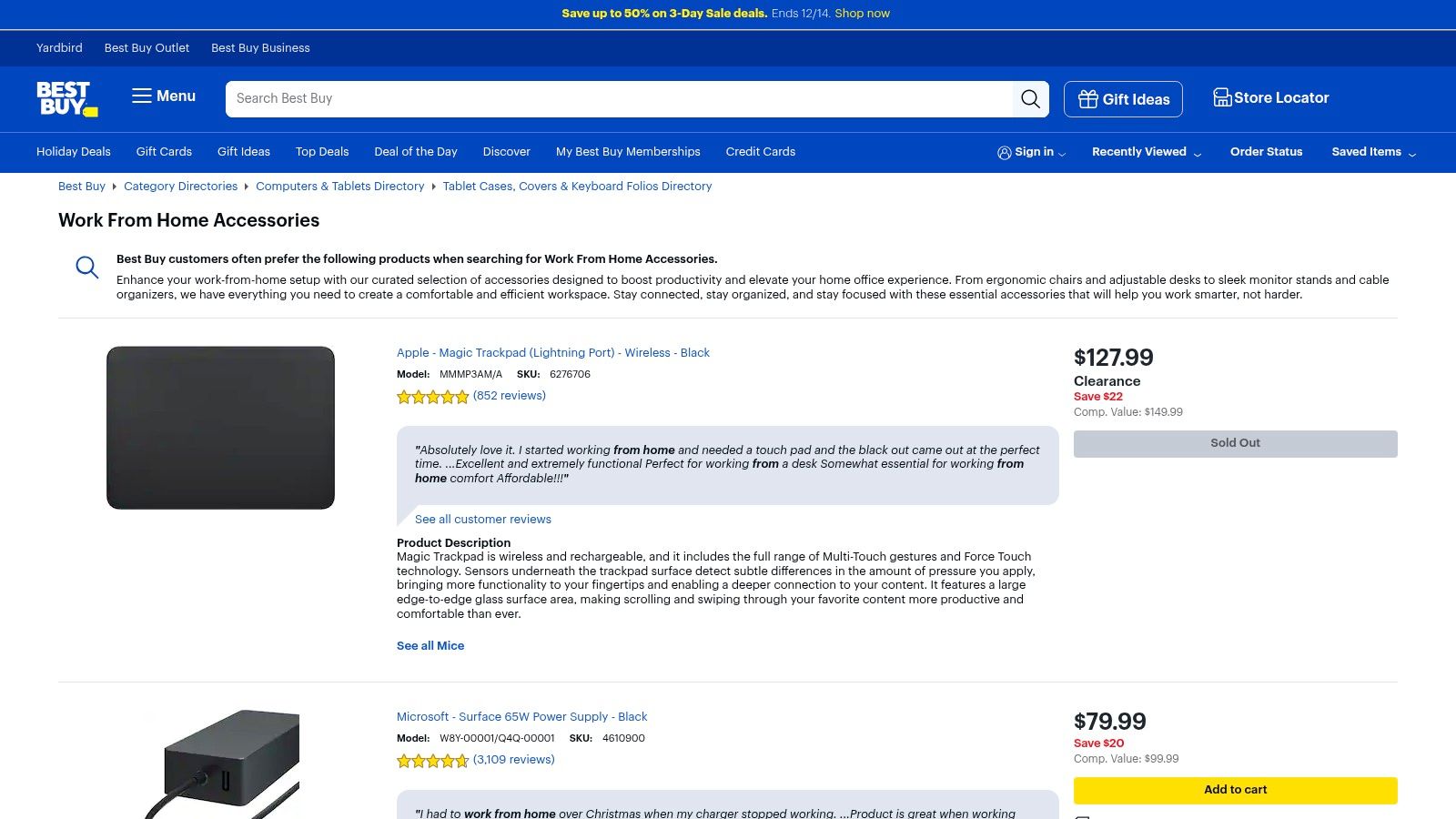
The best part is that Best Buy has real stores. If your mouse breaks, you can often go to a store and get a new one the same day. Or you can return things easily. But, they have fewer choices than Amazon, and sometimes the thing you want might not be at your local store.
Good Ideas for Shopping at Best Buy
Before you buy something, check the price at other stores. Best Buy will often match the price if you find it cheaper somewhere else. This is their Price Match Guarantee. You can also check on their website to see if your local store has what you need. You can buy it online and pick it up yourself.
Website: https://www.bestbuy.com/site/shop/work-from-home-accessories
4. B&H Photo Video
If you need to look and sound great on video calls, B&H Photo Video is the place to go. This store is an expert in good cameras, microphones, and lights. It's one of the best tools for remote workers who want to look like a pro on screen. B&H tells you all the details about each tool and even sells kits with everything you need. This makes it easy to set up for Zoom calls.
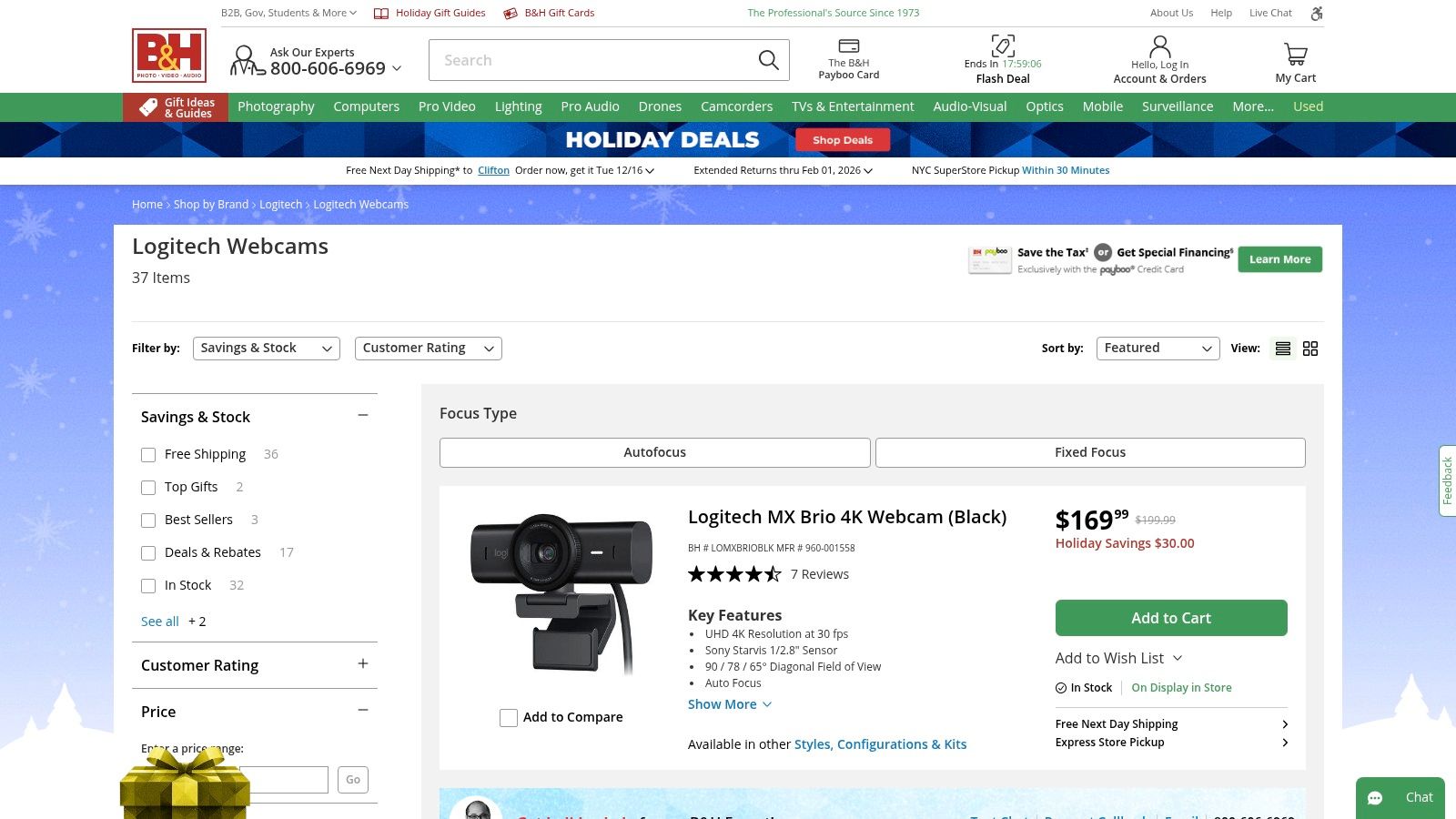
The best part is that they know their stuff. The website gives you lots of information to help you pick the right gear. And the people who work there can answer hard questions. But, they don't sell as many office chairs or desks. Also, some fancy items might take a while to arrive.
Good Ideas for Shopping on B&H
Look for the "Deal Zone" on their website to find sales each day. Sometimes, they sell a kit with a camera, a microphone, and a light all together for a lower price. This is a smart way to get everything you need at once. If you are buying a lot of things for a business, they can help with that too.
Website: https://www.bhphotovideo.com/c/buy/Webcams/ci/13971/N/4232861612
5. Logitech (official store)
For top-quality gear for your computer, the official Logitech store is a great stop. Here you can buy webcams, headsets, keyboards, and mice directly from the people who make them. Buying from the official store means you get the real thing with a good warranty. This makes it one of the best tools for remote workers who want gear that will last. The site also helps you choose the right tool for you.
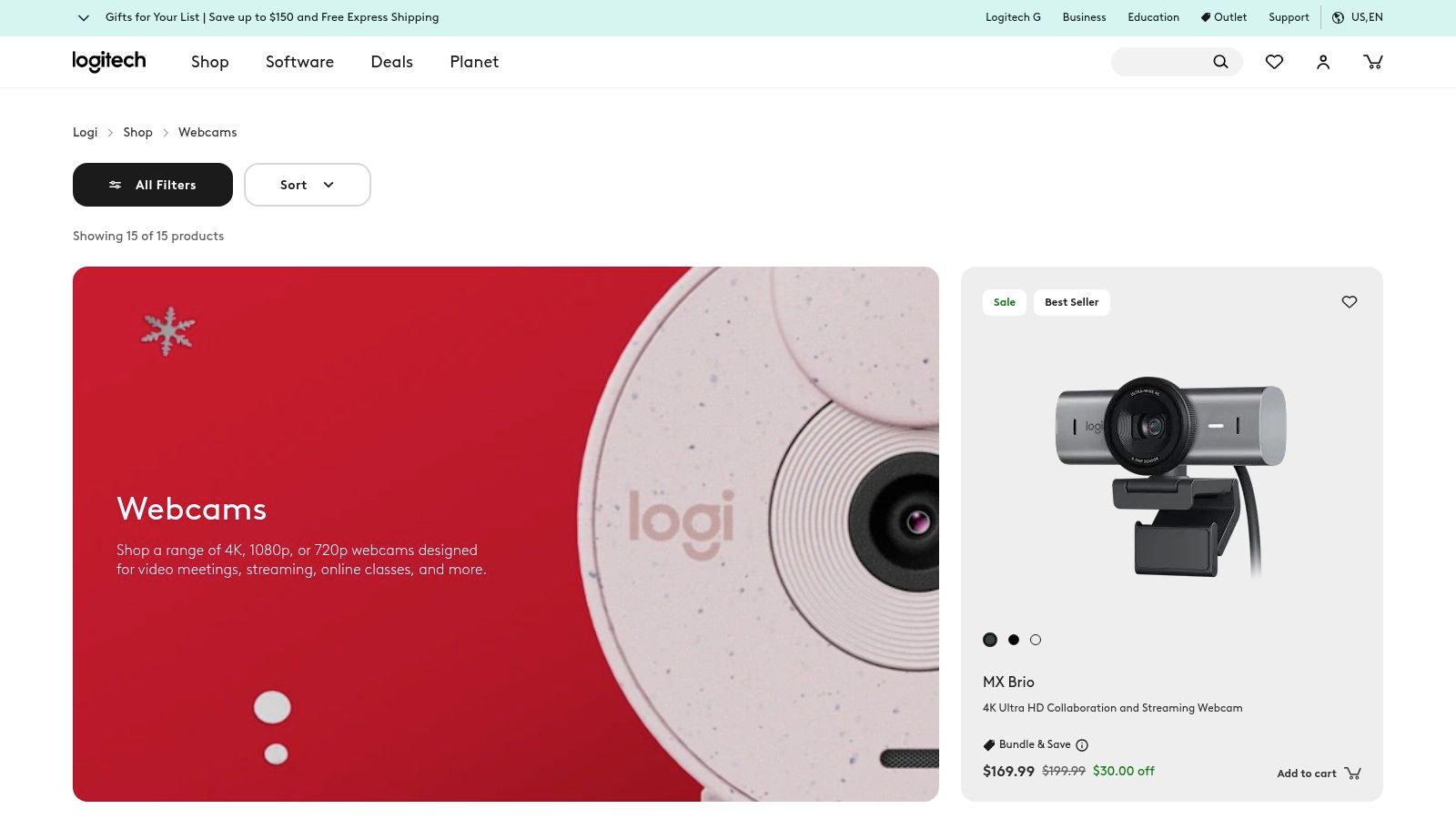
The best part is that you can trust what you buy. You have 30 days to send it back if you don't like it, and they have people to help if something goes wrong. But, the prices might be a little higher than at other stores. And sometimes, the newest things, like a popular camera, can sell out.
Good Ideas for Shopping on Logitech
To get a good deal, look for their sales and bundles. A bundle might have a webcam and a headset together for a lower price. If you are a student, you might get a special discount. Before you buy, use their website to compare different models to see which one is best for your video calls or other work.
Website: https://www.logitech.com/en-us/webcams.html
6. Herman Miller (official store)
If you want a super comfortable chair that is good for your health, the Herman Miller store is the best place. They sell famous chairs that doctors like, such as the Aeron chair. These chairs are made to help you sit for a long time without getting sore. Buying from the real store makes sure you get the real chair. This makes it one of the best tools for remote workers who want to stop back pain.

The best part is that these chairs are made to last a very long time. Most have a 12-year promise that they won't break. They cost a lot of money at first, but they are a good investment. The bad part is the high price, and if you want a special color, you might have to wait for it.
Good Ideas for Shopping at Herman Miller
To save money, watch for their big sales that happen a couple of times a year. You can get a big discount and still get the 12-year promise. Their website has a cool tool that uses your phone's camera to show you how a chair will look in your room before you buy it. Also, they have some popular chairs ready to ship right away if you don't want to wait.
Website: https://store.hermanmiller.com
7. UPLIFT Desk
For a healthy and comfy home office, UPLIFT Desk is a great place for special furniture. They are experts in standing desks that you can change to be just right for you. You can pick the size, color, and other parts you need. This makes it one of the best tools for remote workers who want a desk that fits them perfectly and helps them feel good.
The best part is that the desks are made well and you can add lots of cool things, like arms for your computer screen or holders for your wires. You do have to put the desk together yourself. But, it's hard to find a desk you can change this much. Sometimes, when they have big sales, it might take longer to get your desk.
Good Ideas for Shopping on UPLIFT Desk
To get the best price, wait for big sales like Black Friday. You can save a lot of money. Use the desk builder on their website to try different tops and legs to see what fits your room and your money. Also, look at the extra things they sell. If you buy a monitor arm with your desk, you might save money on shipping.
Website: https://www.upliftdesk.com/standing-desk/
8. Microsoft 365 for Business
Microsoft 365 is like a big toolbox for your computer. It puts important apps like Word, Excel, and Teams all in one place. It also gives you a safe place to store your files online. This makes it one of the best tools for remote workers because everything works together smoothly. You don't have to switch between different apps for talking, writing, and sharing files.
The best part is how all the tools talk to each other. You can be on a video call in Teams and work on a file together with your coworkers at the same time. This helps you get more done. But, it can be tricky to pick the right plan for your business, and it can get expensive if you add extra features.
Good Ideas for Using Microsoft 365
A good trick is to use SharePoint to make a main spot for your team's files. This is better than everyone keeping files on their own computer. This way, no files get lost. You can also learn how to write faster by dictating in Word.
Website: https://www.microsoft.com/en-us/microsoft-365/business
9. Google Workspace
Google Workspace is a simple and strong set of tools for teams. It includes apps you probably already know, like Gmail, Google Docs, and Google Meet. It puts them all together online. This makes it one of the best tools for remote workers because it's so easy to use. Team members can work on the same document at the same time, right in their web browser.
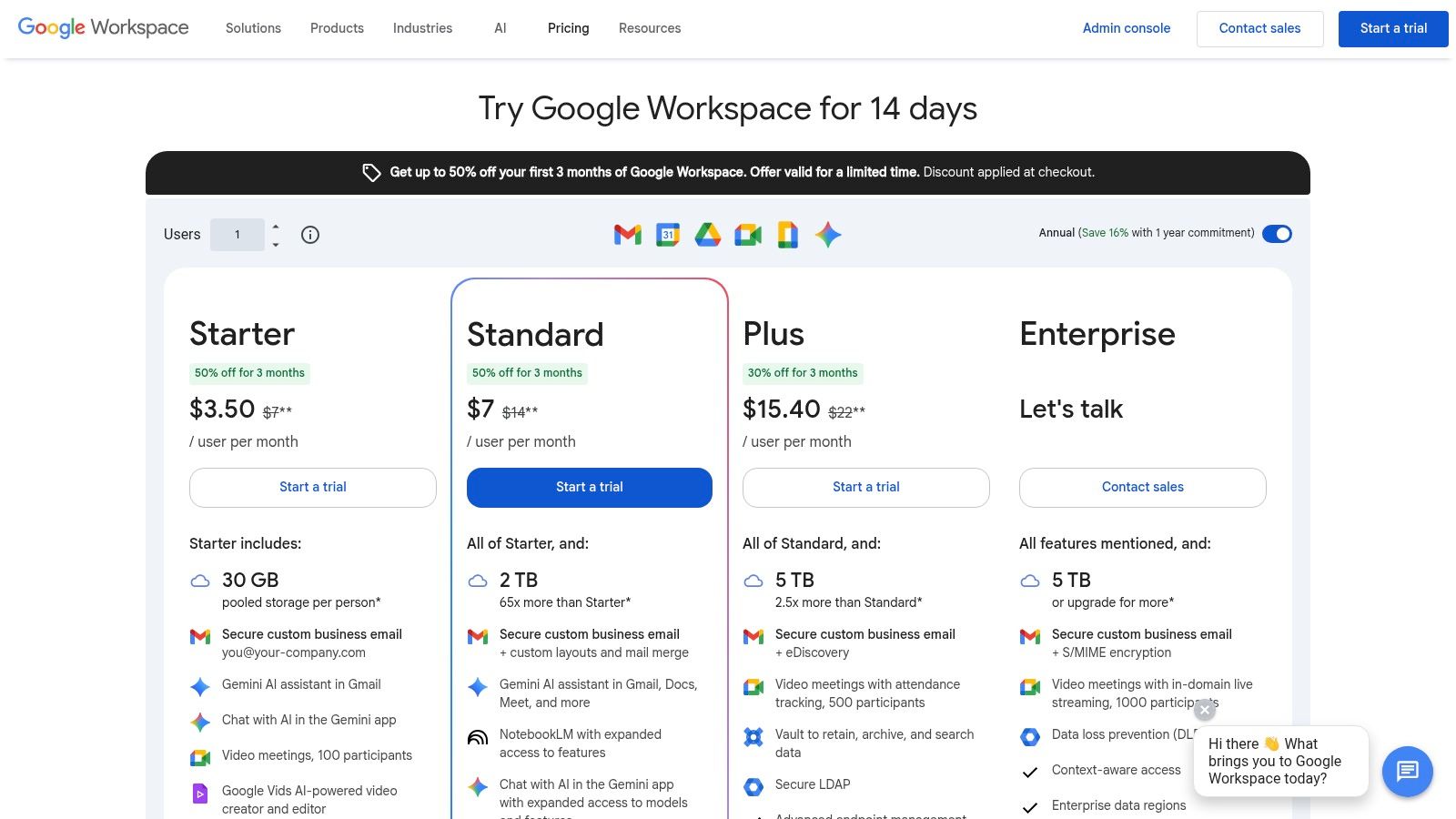
The best part is how simple and connected everything is. You can start a video call from an email or share a file from Google Drive with just one click. It's very easy for anyone to learn. But, it might not have all the fancy features that some desktop programs have. The best safety tools are only in the more expensive plans.
Good Ideas for Using Google Workspace
To do more work, use the smart helper called Gemini AI. It can help you write emails in Gmail or sort numbers in Google Sheets. You can also make documents much faster with your voice. You can learn about how to dictate in Google Docs to try it. A good tip is to use shared drives for team files. This keeps all the files in one place, even if someone leaves the team.
Website: https://workspace.google.com/pricing
10. Zoom
Zoom is a very popular tool for video calls. It lets you see and hear your team clearly. It's easy to share your screen too. This makes it one of the best tools for remote workers to talk to each other. Zoom is strong because it's so simple and it works well. You can start or join a meeting without any trouble.
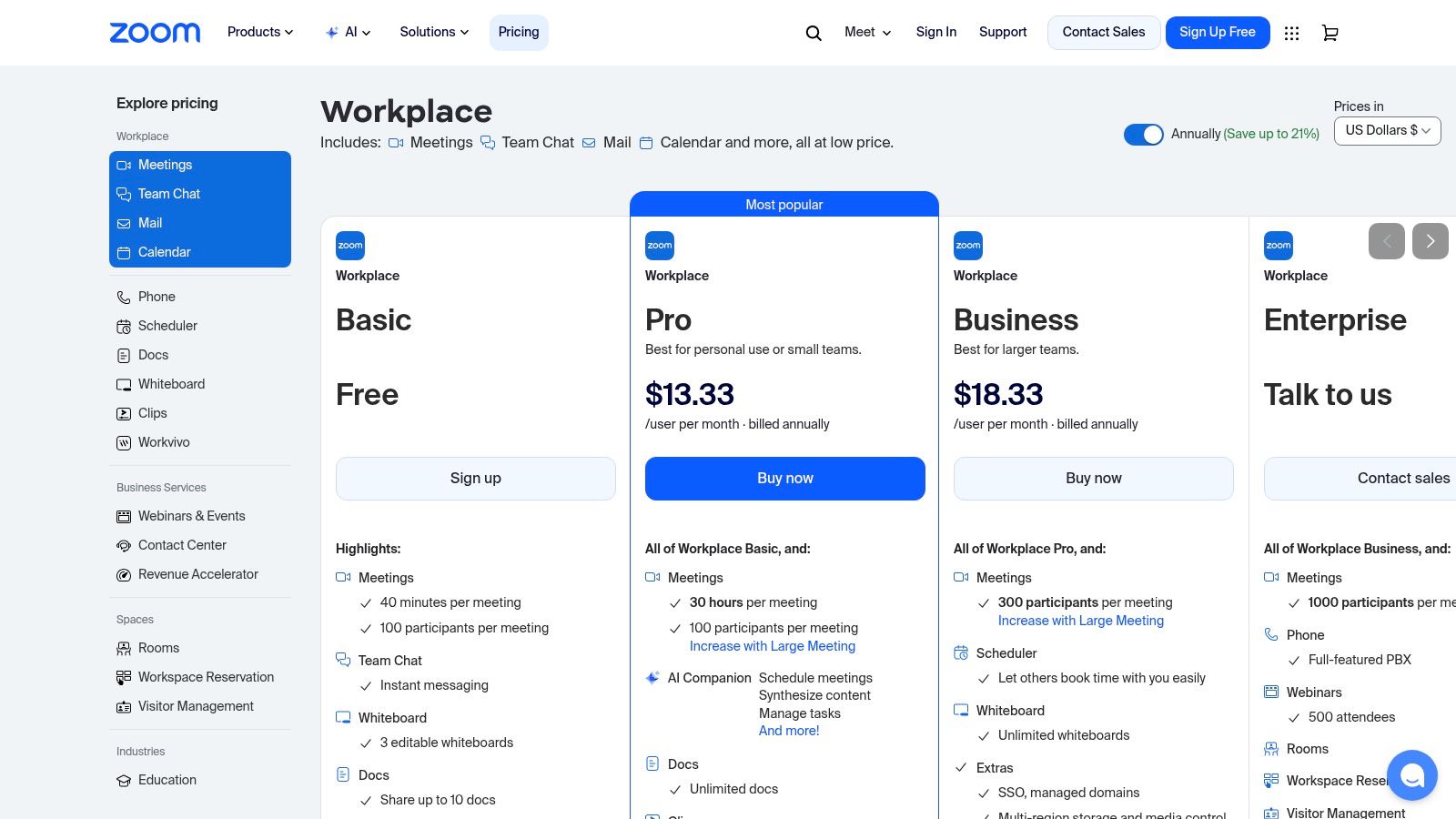
The best part about Zoom is that almost everyone knows how to use it. This makes it easy to meet with people outside your company. It also connects with other tools you use, like your calendar. But, the free version only lets you talk for 40 minutes in a group. It can get expensive if you need more features, like hosting big online events.
Good Ideas for Using Zoom
To look more professional in meetings, you can use the "Touch up my appearance" setting. It makes your picture look a little better. You can also use a fake background to hide a messy room. To keep your meetings safe, use the waiting room feature so you can see who is joining. Also, learn the shortcut to mute your microphone (Alt+A or Cmd+Shift+A) so you don't make noise by accident.
Website: https://zoom.us/pricing
11. Slack
Slack is a tool that helps teams talk to each other without sending so many emails. It's like a chat room for work. You can make different "channels" for different projects or teams. This makes it one of the best tools for remote workers because it keeps conversations organized. All the chats are in one place and easy to find.
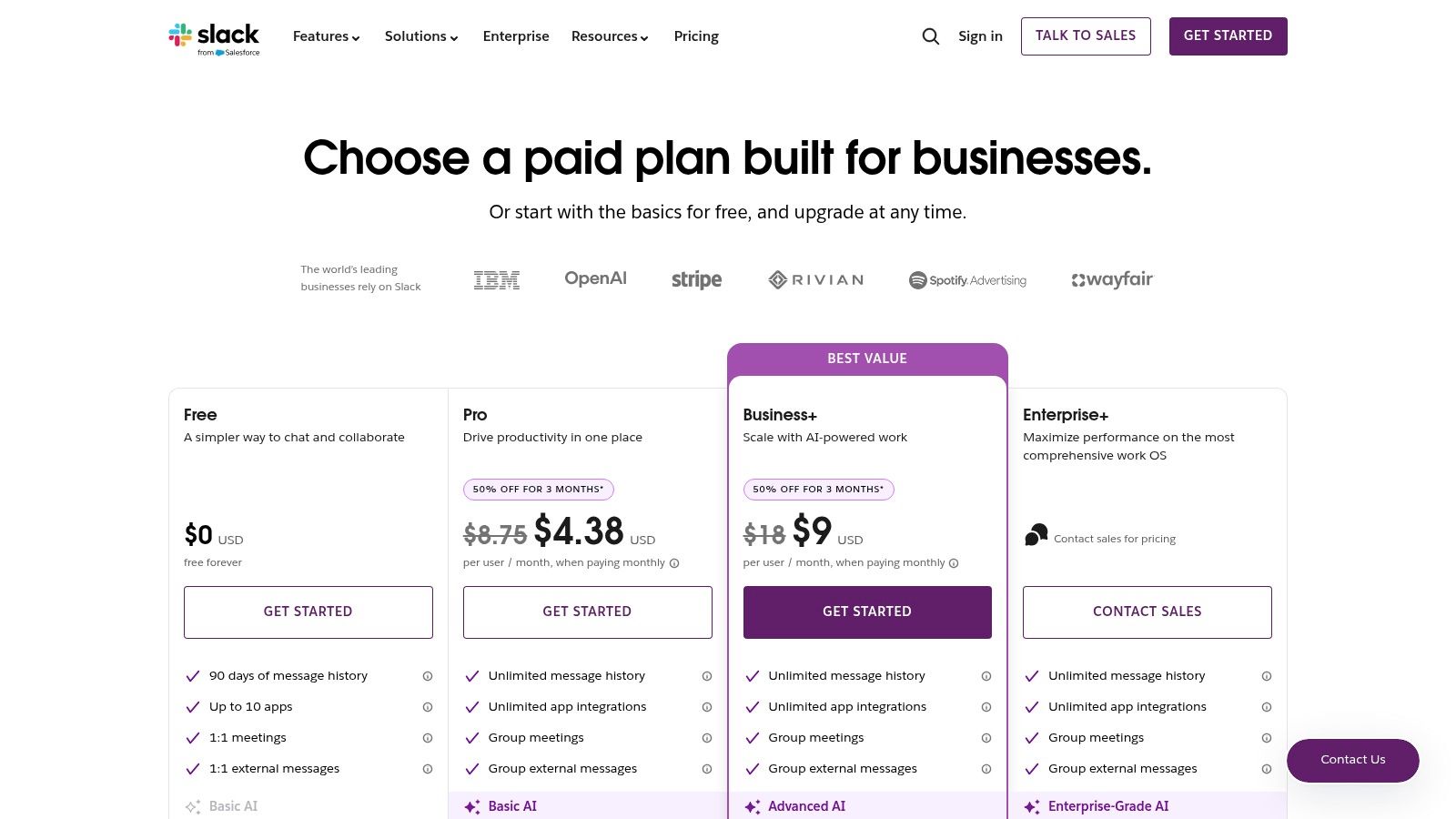
The best part about Slack is that it connects with more than 2,600 other apps, like Google Drive. This lets you do more without leaving the app. But, if you don't have rules, the channels can get very noisy and distracting. Also, the free version only saves your last 10,000 messages.
Good Ideas for Using Slack
To keep chats neat, give your channels clear names, like #project-new-website. When you reply to someone, use a "thread." This keeps the replies together and makes the main channel easy to read. You can also change your settings so you only get a buzz on your phone for important messages. This helps you stay focused.
Website: https://slack.com/pricing
12. Notion
Notion is like a super notebook for your whole team. It brings together documents, notes, to-do lists, and more into one app. You don't have to keep switching between different tools. This makes Notion one of the best tools for remote workers who want to keep everything in one place. You can build exactly what your team needs.
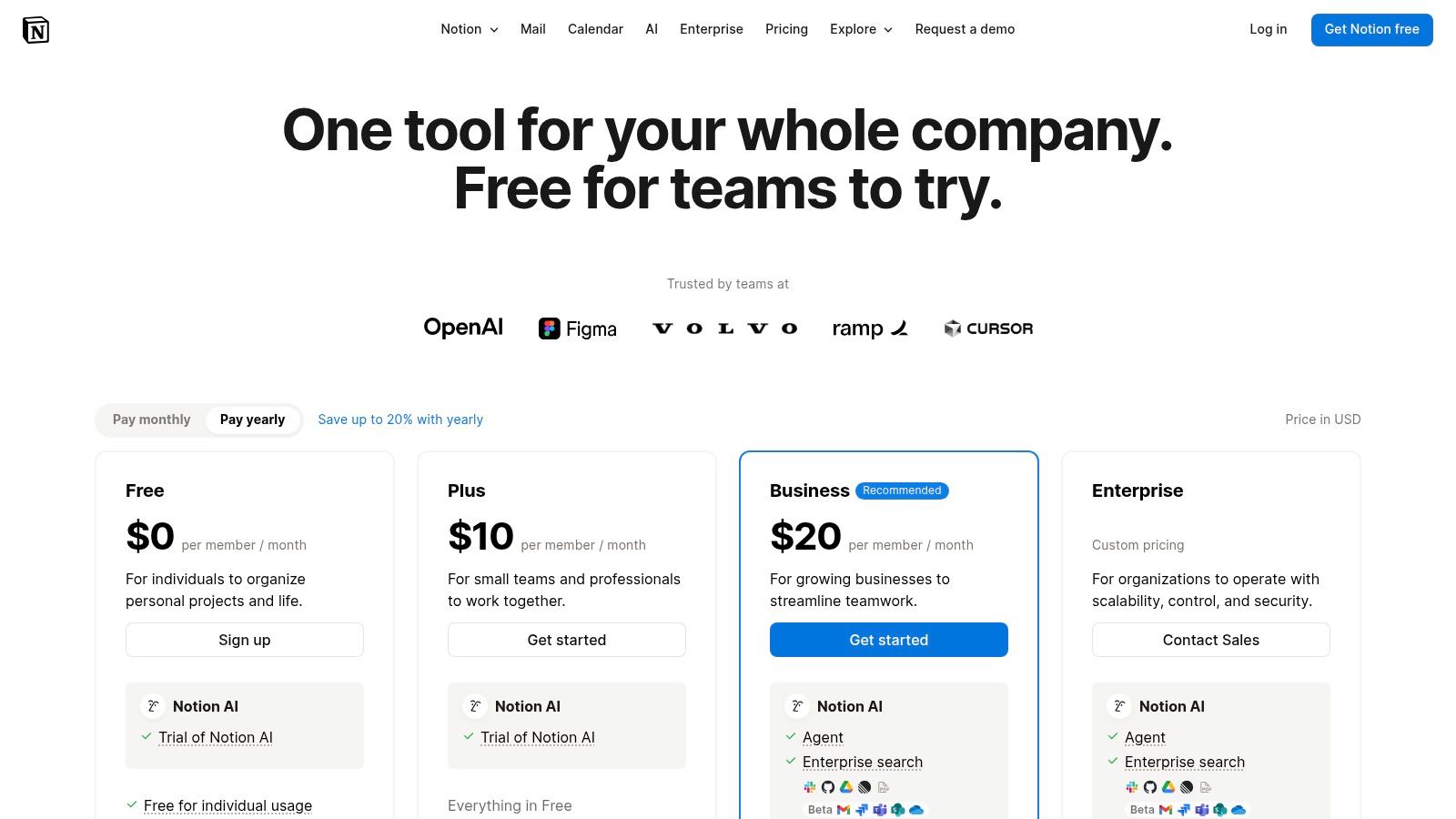
The best part is that you can change it to be whatever you want. You can make a simple page for notes or a big planner for a huge project. But, because it can do so much, it can get messy if you're not careful. It also doesn't work as well when you are not connected to the internet compared to other apps.
Good Ideas for Using Notion
A good way to start is by using the templates that are already made. There are templates for calendars, new employee guides, and more. Make rules for your team on how to name and organize pages. Good document management best practices are very important here. Notion also has a smart helper called Notion AI. It can help you write things or make a short summary of a long page.
Website: https://www.notion.com/pricing
Top 12 Remote Work Tools: Features & Buying Guide
| Product | Category | Core features | Target audience | UX / Quality | Value & USP |
|---|---|---|---|---|---|
| WriteVoice | Voice‑to‑text productivity | Sub‑1s transcription, AI formatting, meeting summaries, 30+ lang, integrations | Knowledge workers, legal/healthcare, execs, teams | ~98–99% accuracy, cross‑device sync, privacy‑first (no storage) | 4× faster than typing; app‑aware tone engine; free trial & LTD |
| Amazon | Marketplace (hardware & accessories) | Vast selection, Prime fast shipping, strong returns | Remote workers and general shoppers | Fast delivery; quality varies by seller | Biggest inventory & competitive pricing; frequent deals |
| Best Buy – Work From Home Accessories | Big‑box retailer | Curated WFH category, store pickup, same‑day delivery | Shoppers wanting in‑store support | Easy returns, vetted SKUs, regional stockouts possible | In‑person support and price‑match protection |
| B&H Photo Video | Pro AV retailer | Detailed specs, bundles, business support, coupons | Streamers, creators, pro AV buyers | Expert product pages, reliable shipping | Deep webcam/mic selection and technical guidance |
| Logitech (official store) | Brand store (peripherals) | Full lineup, guided buying, warranties, bundles | Buyers wanting authentic peripherals | Manufacturer support, frequent promos | Direct warranty, curated bundles and guidance |
| Herman Miller (official store) | Premium ergonomic furniture | Iconic ergonomic chairs, AR/3D previews, long warranties | Professionals needing long‑term ergonomic solutions | Top build quality, long warranties, made‑to‑order lead times | Best‑in‑class ergonomics and resale value (premium price) |
| UPLIFT Desk | Standing desks & accessories | Custom desk builder, large accessory ecosystem | Budget‑conscious ergonomic buyers | Good value, configurable, assembly required | Strong customization at competitive prices; frequent sales |
| Microsoft 365 for Business | Productivity & collaboration suite | Teams, Office apps, OneDrive/SharePoint, admin/security | Businesses and IT‑managed teams | Comprehensive stack, strong security, complex plans | All‑in‑one enterprise features and admin controls |
| Google Workspace | Cloud productivity suite | Gmail, Drive, Docs/Meet, Gemini AI features | Distributed teams, cloud‑first orgs | Simple real‑time co‑editing, browser workflows | Easy collaboration and integrated AI in apps |
| Zoom | Video meeting platform | High‑quality meetings, screen share, webinars, Rooms/Phone | Organizations needing scalable meetings | Widely adopted, easy joining; add‑ons add cost | Ubiquitous meeting UX and large‑scale features |
| Slack | Team communication | Channels, huddles, clips, 2,600+ integrations | Remote‑first teams and cross‑functional groups | Powerful integrations, can be noisy without discipline | Centralizes team communication and workflows |
| Notion | All‑in‑one workspace | Pages, databases, kanban, Notion AI, templates | Teams needing docs, wikis, lightweight PM | Highly customizable; requires governance | Replaces multiple apps; flexible knowledge management |
Choosing Your Perfect Work-From-Home Helpers
Picking the right tools for working from home can seem hard, but it's the most important step to doing your best work. Making your home office great is about making smart choices. As we've seen, the best tools for remote workers are not just about apps or chairs. They are about building a setup that helps you work, saves you time, and keeps you healthy.
Software like Microsoft 365 and Google Workspace gives you the basics. Tools like Slack and Notion help you work with your team. And buying a good desk from UPLIFT Desk or a great chair from Herman Miller is not just a treat. It's a smart choice that helps your body and your brain stay focused for a long time.
How to Pick Your Best Tools
You don't need every cool app out there. Instead, think about your daily work and what slows you down.
- Find Your Biggest Problem: What is the one thing that takes up the most time or makes you feel frustrated? Is it typing all day? A tool like WriteVoice could give you back hours every week. Is it hard to know what everyone on your team is doing? A tool like Notion could fix that.
- Start Small: You don't have to change everything at once. Pick one tool that will help a lot. Learn how to use it well. See if it makes your work better. Then, you can add another tool. This way, you don't get tired of learning new things.
- Make Sure They Work Together: The best tools are the ones that connect to each other. Before you get a new app, check if it works with the tools you already have. Can it connect to your calendar or your other work apps?
Making New Tools a Habit
Getting a new tool is just the first step. The real change happens when you make it a habit. Take some time to learn what your new tools can do. Watch videos, change the settings, and try to use the new tool for one job for a whole week. It takes a little work at first, but soon it will feel easy and natural to use. If you want to find even more apps, you can look at a comprehensive list of remote work productivity tools.
In the end, making a great work-from-home space is your own adventure. The right mix of tools can change your workday from being a pain to being fun, fast, and something you feel proud of.
Ready to fix your biggest work problem? If typing all day is slowing you down, see how WriteVoice can change everything. Turn your ideas into words just by talking. Get your time back for the work that really matters. Try WriteVoice today and see how easy writing can be.