Finding the Best Voice Recorder That Types for You
If you want the best voice recorder with transcription, you should know they are like magic. They are special tools that listen to you talk and write down your words. A tool like WriteVoice can turn what you say into words on a screen right away. This saves a lot of time for students, people who write stories, and grown-ups at work.
Hear Your Words Become Typed Notes
Imagine you are talking, and your words pop up on a screen as typed notes. That’s what a voice recorder with transcription does. It’s like having a super-fast helper who can type everything you say.
This is a big help for anyone who needs to remember things correctly. You don’t have to write super fast or try to type as fast as someone talks. You can just press record and let the tool do the hard work.
- For Kids in School: Think about recording a long class. You can get all the teacher's words written down. You can listen and learn instead of just trying to write everything.
- For Story Writers: Getting someone's exact words is important for a good story. A recorder that types for you makes sure every word is right.
- For Grown-ups at Work: It can keep a perfect list of what everyone said in a meeting. No more asking, "Who was supposed to do that?"
This guide will show you what makes these tools special. It will help you pick the best voice recorder that types for you. First, let's see how much better these new recorders are than the old ones.
The Old Way vs. The Smart Way
An old voice recorder is like a camera for sound. It saves the sound, but you have to do the real work later. You have to listen to the recording and type out every word. A one-hour recording can take four or five hours to type.
A smart voice recorder with transcription is very different. It doesn't just hear the sound; it understands it. Think of it as a helper who listens and types at the same time. This is why so many people are buying them. The market for these tools was worth $1.86 billion in 2024. You can learn more about this at gminsights.com.
The real magic is not just saving words, but making them useful right away. You save time, make fewer mistakes, and can share your ideas much faster.
This tool solves a big problem: getting ideas from your head into writing without all the slow typing. Our guide on why turning sounds into words is a big deal talks more about this. The best tools, like WriteVoice, make it easy. You can focus on your real work, not on typing.
Old Recorders vs. New Smart Recorders
Let's look at them side-by-side to see the big difference. It's not just about being easier—it's about getting more done.
| What it Does | Old Voice Recorder | Voice Recorder That Types |
|---|---|---|
| Main Job | Saves sound files (like WAV, MP3) | Saves sound and turns it into words |
| How You Work | Record > Type it all out later | Record > Get words right away |
| Time to Get Words | Hours (like 4-5 hours for a 1-hour sound) | A few minutes |
| How Correct It Is | You might make typing mistakes | Very good, often 95% right with clear sound |
| Finding Words | You can't search inside the sound | You can search for any word in the text |
| Who Is Talking? | You have to guess who is talking | Often knows who is talking |
| Sharing | You share big sound files | You share a simple text paper or a link |
As you can see, a smart recorder does more than just add a new trick. It changes how you save and use what people say.
How Your Voice Becomes Words You Can Search
Have you ever wondered how a device can listen to you and then write down what you said? It feels like magic, but it’s really a smart computer helper called AI (Artificial Intelligence). It turns your spoken words into text you can read and search.
Think of the AI as a super smart listener. It has listened to people talk for millions of hours. It learned to know different voices, the way people talk, and how we put words together. When you talk, the microphone is like its ears. A really good recorder knows to listen to your voice and ignore other sounds, like a fan or people talking far away.
This is called speech-to-text. The AI "brain" in the tool breaks your words into tiny sounds. Then, it looks through its giant list of words to find the right ones. Because it has practiced so much, it can do this very fast. A better AI makes fewer mistakes, just like an expert who is great at their job.
From Sound Waves to Smart Text
The tools that power the best voice recorders have gotten so much better. We are way past just saving sounds. This picture shows how we went from an idea you say out loud to words you can keep and use.
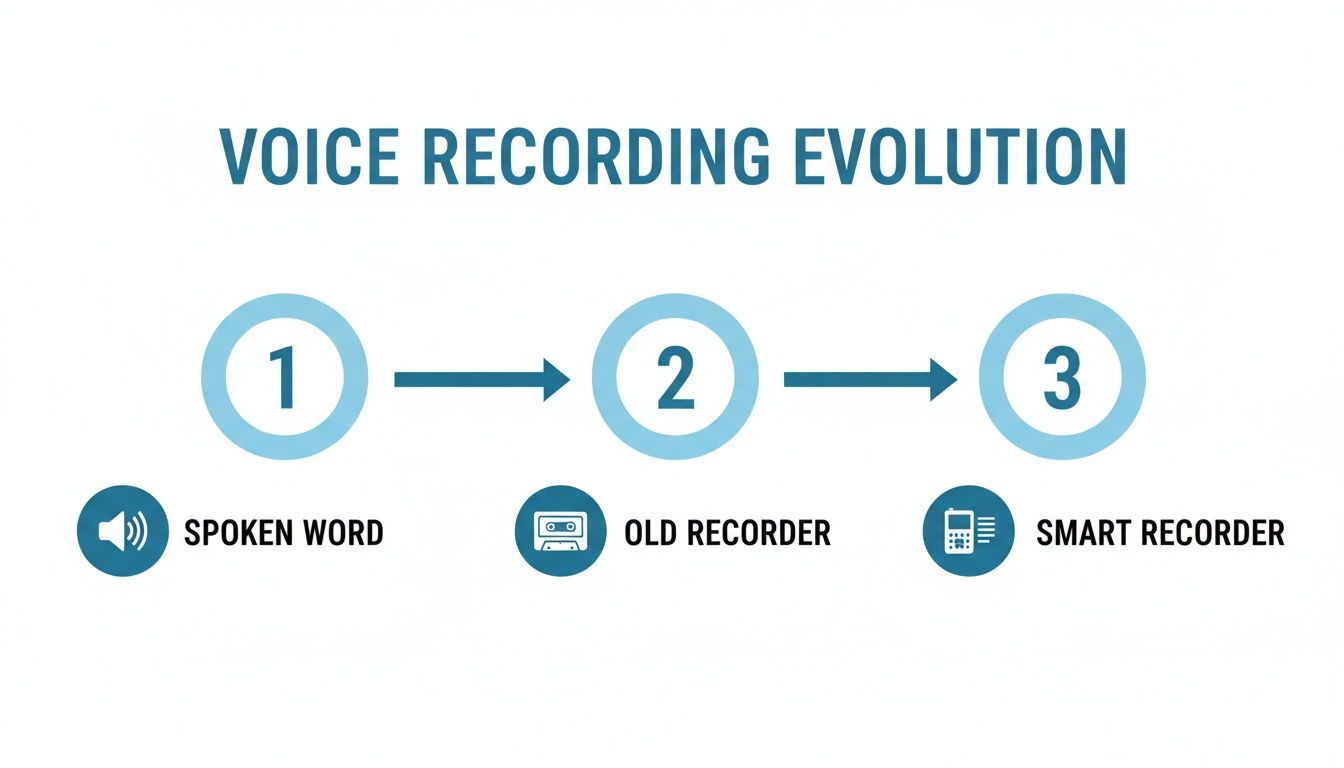
It’s easy to see the change. We went from words that disappear to words that are saved and searchable, all because of smart tools. The goal was always to have a helper that can type as fast as you can think. The AI isn’t just guessing. It’s using smart rules to pick the right words.
And this area is growing fast. The AI typing market was worth $4.5 billion in 2024 and will be around $19.2 billion by 2034. The best tools are already almost 90% right, and they are getting even better for people with different accents.
What Happens Inside the Recorder
So, what happens from the time you talk to the time you see words on the screen? It's a super-fast process with a few steps.
- Catching Your Voice: First, the microphone catches the sound waves from your voice. A good microphone means clearer sound, which helps the AI a lot.
- Cleaning the Sound: The recorder then gets rid of background noise. It’s like cleaning up your sound to make your voice stand out. Cleaner sound means fewer mistakes.
- Breaking Down Sounds: Next, the AI breaks your talking into its smallest sounds. These are the basic sounds in a language, like the "ch" sound in "chair."
- Finding the Words: Last, the AI looks for those sounds in its giant word list. It uses clues to guess the right words and sentences you said, like putting a puzzle together.
The whole thing is made to feel easy. You just talk, and the tool does the hard work of turning your voice into perfectly typed words.
This all works because of smart AI that has learned from tons of talking. The more it hears, the better it gets at understanding all kinds of voices and ways of talking. If you want to see what's out there, our guide to speech-to-text software is a great place to look.
A voice recorder that types for you is more than just a toy. It's a bridge from your thoughts to the written word. It gets rid of the slow job of typing, so you can save your ideas as fast as you can say them.
Important Things to Look For in a Recorder
Picking the right voice recorder that types for you can feel like a big job. But it's easier when you know what to look for. Think of it like hiring a helper. You want one that is good at its job, can work for a long time, and is easy to understand.
Let's look at the things that make the best tools stand out.
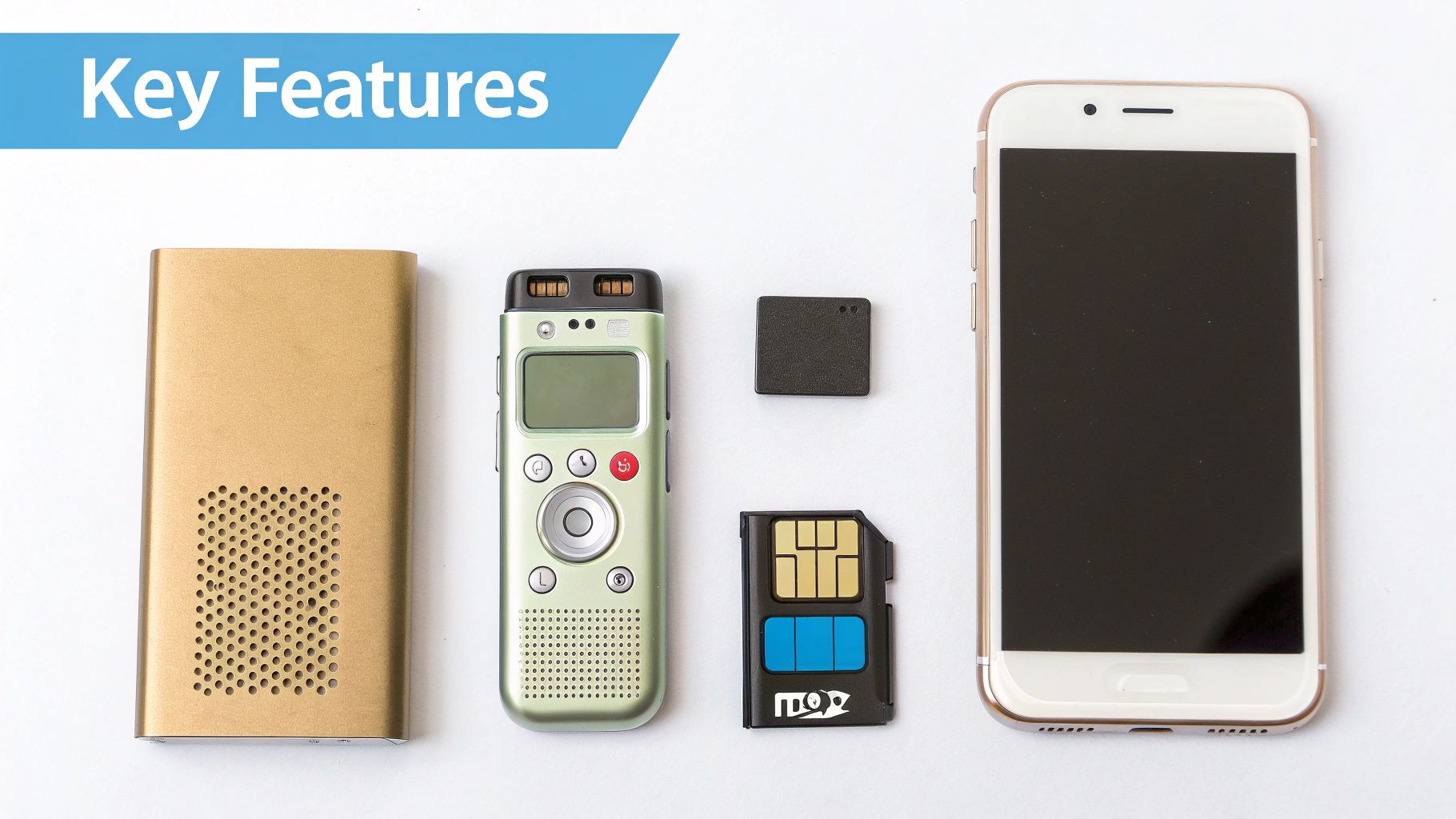
There are many choices, from simple recorders to smart AI ones. Your job is to find one that has what you need, like good typing, a long battery, or lots of space. This way, it can help you get your work done, whether it's saving a quick thought or recording a long meeting.
How Well It Types
First, you need to know how good the tool is at turning your talking into words. This is its typing accuracy. A great recorder can understand what you say almost perfectly, even if there is noise around you.
Imagine reading a story where every tenth word is wrong—it would be a mess. The same is true for your typed notes. You want a tool that listens well and gets the words right the first time.
A recorder that gets the words right saves you a lot of time. Instead of fixing mistakes for hours, you get clean words right away. This is why you get a smart recorder in the first place.
The very best tools can be 99% right. This is great for work where every word matters, like a news writer quoting someone. You can learn all about what affects speech-to-text accuracy in our detailed guide.
Battery Life
Next is battery life. How long can the recorder work before it needs to be charged? You wouldn't start a long car trip with an empty tank of gas. You shouldn't start a long meeting with a recorder that might turn off.
A dead battery can mean you lose an interview or miss notes from a class. You need to trust your tool.
- For short jobs: If you are just saving quick notes, a battery that lasts 4-6 hours is probably fine.
- For long days: For meetings or classes that last all day, you will want a recorder that can work for 10 hours or more.
A longer battery life means you can focus on the talking, not on finding a plug.
How Much It Can Hold
Another important thing is storage space. Think of it as the tool's memory. The more space it has, the more sound it can save before you have to delete things.
Space is measured in gigabytes (GB). A tool with 8GB of space can usually save about 2,000 hours of sound. For most people, that’s plenty of room to keep a lot of recordings.
Lots of space means you don’t have to worry about running out of room. You can keep everything in one spot, ready for when you need it.
Connecting and Sharing
Last, think about how it connects. How easy is it to get your recordings and typed notes off the tool and onto your computer? The best voice recorder with transcription makes this super simple.
Look for things that make your work easier.
- USB Port: A simple way to plug into a computer and move files, just like a small flash drive.
- Wi-Fi or Bluetooth: Fancier models use these to send files right to your email, cloud folder, or a helper app on your phone with just a tap.
Easy connecting makes your recorder a real work helper. You can say an idea while you're walking and have the typed words waiting on your computer when you get back to your desk.
Why Smart Typing is Better Than Doing It Yourself
If you’ve ever used an old voice recorder, you know saving the sound is the easy part. The hard work comes later. You have to sit down, put on headphones, and spend hours typing out every single word. A one-hour interview could take up your whole afternoon, often four or five hours to type.
A new tool like WriteVoice changes everything. It uses a smart AI helper to do the typing for you, giving you back all those hours. Think of it like trading your bike for an electric scooter. Both get you there, but one is much faster and does all the hard work.
But it’s not just about being fast. It's about being smart. Smart typing tools can understand different ways of talking, ignore the noise of a busy coffee shop, and even tell you who is talking. This kind of help was like something from a movie with the old way.
The Real Problem with Typing Yourself
Let's be real, typing out sound yourself isn't just slow—it's very tiring. Listening, stopping, going back, and trying to hear a fuzzy word over and over again is no fun. It can slow down your work and make you feel worn out.
Here’s a look at the numbers: for every one hour of sound, you can expect at least four hours of typing. If you record just three hours of meetings in a week, you've given yourself 12 hours of typing work. That’s more than a whole day of work on just one boring job!
This is why a good voice recorder that types for you is not just a nice-to-have thing anymore—it's something you need. It does the whole boring job for you, turning a job that takes hours into something that’s done in minutes.
The real power of smart typing is that it gives you back your most important thing: your time. Instead of being stuck at your computer typing old recordings, you can be thinking about your next big idea.
Getting it Right Saves You Work
Besides saving tons of time, a tool like WriteVoice is very correct. With clear sound, it can be right more than 99% of the time. This means the typed words you get back are clean and ready to use with very little fixing.
Imagine getting the words from a one-hour meeting and only having to fix a few small words. Now think about a paper you typed yourself, which can have typing mistakes, wrong words, and other errors. When it's very correct, you can trust what it gives you and get on with your real work.
Time and Work Saved with WriteVoice
See how much faster and easier typing becomes when you go from the old way to a smart tool like WriteVoice.
| Job | The Old Way (Typing Yourself) | The Smart Way (WriteVoice) |
|---|---|---|
| Time to Type 1 Hour | 4-5 hours | 5-10 minutes |
| How Hard It Is | Hard to focus, always stopping | Easy, just upload and wait |
| How Correct It Is | Can have human mistakes and typos | Over 99% correct |
| Fixing Needed | Lots of checking and fixing | Very little, a quick look for names |
This chart really shows the difference. The smart way is not just a little better; it’s a totally new and better way to work.
Turning Your Ideas into Words Instantly
Smart typing does more than save you from typing; it can help you think better. Many of us think best when we talk our ideas out loud. You can walk around your room, do chores, or just sit on the couch while you talk about a big idea.
With an old recorder, those great ideas would be stuck as a sound file, waiting for you to have time to type them. But with a tool like WriteVoice, your spoken words are turned into a neat paper right away. You can then start fixing, organizing, and adding to your ideas without ever looking at a blank page. It makes being creative feel faster and more natural.
Who Gets the Most Help from Voice Typing?
You might be surprised by how many different people can get help from a voice recorder that types what it hears. It’s not just a special toy. It’s a tool for anyone who needs to save thoughts or conversations without being stuck at a keyboard.
From the classroom to the office, more and more people want to turn talking into words. The business of typing services in the U.S. is going to be worth more than $32 billion by 2025. This shows that people everywhere, from doctors to teachers, are using this tool more than ever. You can learn more about this at DittoTranscripts.com.
So, who uses it the most? Let's see.
For Students in the Classroom
Think about a class where the teacher talks very fast. The teacher is moving through slides, and you are trying to write notes as fast as you can, while also trying to understand what is being said. It's hard to listen and write at the same time.
With the best voice recorder with transcription, you can just press record and really listen to the teacher. The tool saves every word, giving you a perfect set of typed notes to look at later. This means you can be a part of the class instead of just a note-taker. When it's time to study, you can just search the notes for important words.
For Journalists and Reporters
For a journalist, getting a quote wrong is a big deal. It can ruin a story. An old recorder helps, but the real work used to be the hours of typing after the interview.
Now, a reporter can finish an interview and have all the words typed out in minutes. This changes everything.
- Find Important Quotes Fast: No more listening through the whole sound. They can search the words for the best parts.
- Write Stories Quicker: With the typing done, they can start writing the story right away. This is a big help when they are in a hurry.
- Be Sure It's Right: The typed words are a perfect record, so no one can say they got it wrong.
The result is news that is faster, more correct, and can be trusted more.
For Busy Grown-ups at Work
Meetings are where big things happen at work. Decisions are made, jobs are given out, and plans are started. The problem? Remembering who said they would do what.
A person at work using a voice recorder that types can save the whole meeting. This creates a written record that the whole team can search. All of a sudden, there’s no more arguing about who was supposed to do what. It’s all right there in the words.
It's like a perfect memory for the whole team. It makes sure no great idea or important job is forgotten after the meeting is over.
For Creative Writers and Thinkers
Good ideas don't always show up when you are sitting at your desk. They might pop into your head when you're on a walk, in the car, or in the middle of the night. Trying to find a pen and paper can make you lose a great idea.
Creative people can use a voice recorder to just talk about their ideas as they come. It's an easy way to think of new things and let your thoughts grow. The recorder saves it all, turning a quick thought into a solid start for a new story, drawing, or project.
Keeping Your Recordings and Notes Private
When you are recording an important meeting or just a quick idea, you don’t want to worry about someone else seeing it. Your recordings and notes belong to you, and keeping them safe is very important.
A good voice recorder with transcription doesn't just save sound; it's like a locked box for your thoughts. The secret to keeping it safe is something called encryption. Think of it like putting your notes in an envelope written in a secret code. Only you have the key to open it. If anyone else finds it, they just see a bunch of nonsense.
Where Your Files Live Matters
It's also good to think about where your recordings and typed notes are kept. Some tools save everything right on the recorder itself. Others use the cloud, which is like a safe digital locker on the internet. Each way has its own pros and cons for safety.
- On the Recorder: This means you have full control. If your files never leave the tool, no one can see them unless they have the tool. It’s like a locked diary.
- In the Cloud: The best thing here is that it's easy. You can get to your files from anywhere, on any computer or phone. But, you have to trust that the company keeping your files is being safe.
When you work with secret information, you need to know what a company does with your data. I always say to look for services with strict no-log policies. This just means the company promises not to keep any records of what you do, which makes it much more private.
Simple Steps to Keep Your Notes Safe
You don’t have to be a safety expert to keep your private things safe. A few good habits can make a big difference.
- Use a Strong Password: This sounds simple, but it’s your first defense. If your tool or app has a password or PIN, use it. Make it something different and hard to guess.
- Be Careful on Public Wi-Fi: Coffee shops and airports often have Wi-Fi that is not safe. Don't move important files on public Wi-Fi unless you are sure your connection is safe.
- Pick a Safe Service: This is the most important step. Choose a tool like WriteVoice that is made to be private. Services that don’t save your sound or typed notes after they are done are the safest—there's nothing left for anyone to see.
The safest note is one that no one else can see. By picking a recorder that uses a secret code for your files and a service that doesn't keep them, you can be sure that your private talks and ideas will stay private.
Your Top Questions, Answered
Even after learning about all the features, you might still have a few questions. That's okay. Picking the right tool is a big decision, so let's answer some of the most common things people ask.
Think of this as a quick way to clear up any last questions. We'll talk about how these smart recorders handle tricky things, like different accents and noisy places.
How Well Do They Handle Different Accents?
This is a very important question. The good news is that today's AI has learned from a huge amount of voices from all over the world. It has "listened" to tons of different accents and ways of talking.
No tool is perfect, but the best ones are very good at this. They can often type out what people with strong accents say with very few mistakes. The most important thing is always clear sound. If the AI can hear the person clearly, it has a great chance of getting the words right, no matter where the person is from.
The tools have gotten so good that they are often better than a human typer who doesn't know a certain accent. The AI's huge library of voices gives it a big advantage.
Can They Record Clearly in Noisy Places?
What happens when you are trying to record a talk in a busy coffee shop or a crowded room? Many of the best voice recorders are made for this. They often have more than one microphone that work together to focus on the speaker's voice while getting rid of background noise.
This is often called noise cancellation. It’s like having a guard for sound—it lets the important voice in and keeps the other noises out. A very loud place can still be hard, but you will probably be surprised by how clean the recording is. For the best results, always try to put the recorder as close to the main speaker as you can.
What Can I Do with the Text Files?
Once your sound is turned into words, you can do a lot with it. You don't just get a simple text file. Here are a few ways people use their typed notes:
- Make quick meeting notes: Pull out the important decisions and jobs in minutes to share with your team.
- Write articles and papers: Use the typed words as a starting point for a blog post, a school paper, or a work report.
- Make sound searchable: Need to find a certain word that was said in hours of recordings? Just search the text file. This saves so much time.
- Share notes easily: Sending a small, easy-to-read text paper is much easier than sending a big sound file.
The typed words turn spoken ideas into a useful tool you can change, search, and build on. It’s the perfect bridge from talking to doing.
Ready to stop typing and start talking? WriteVoice turns your spoken words into polished text in less than a second, so you can capture ideas, take notes, and draft documents four times faster. Try it for free and see how much time you can save. Get started with WriteVoice today.